
Forward Telegram posts into a topic of your group
Pick the sources, paste the link of a topic, and every new post lands there, not in the main chat. Keep news, deals and alerts each in their own topic.
Set up Telegram forwarding in 1 minute
- 1Add Aggregaat to your group
- 2Create a forwarding rule
- 3Paste the topic link
How it works
1. Add Aggregaat to your group
Add Aggregaat to your group as an admin that can send messages.
2. Create a forwarding rule
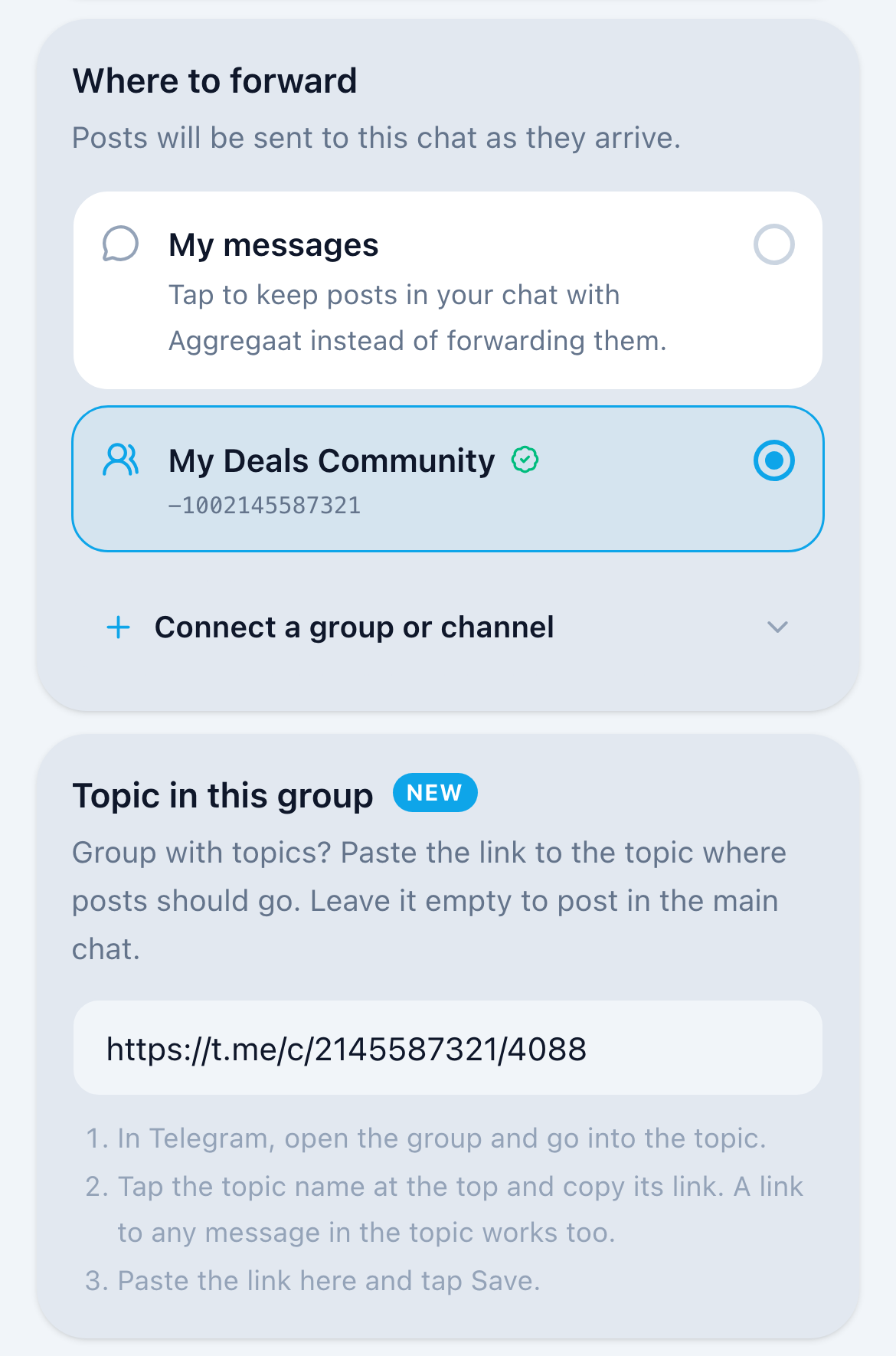
Create a forwarding rule, pick the sources and choose your group.
3. Paste the topic link
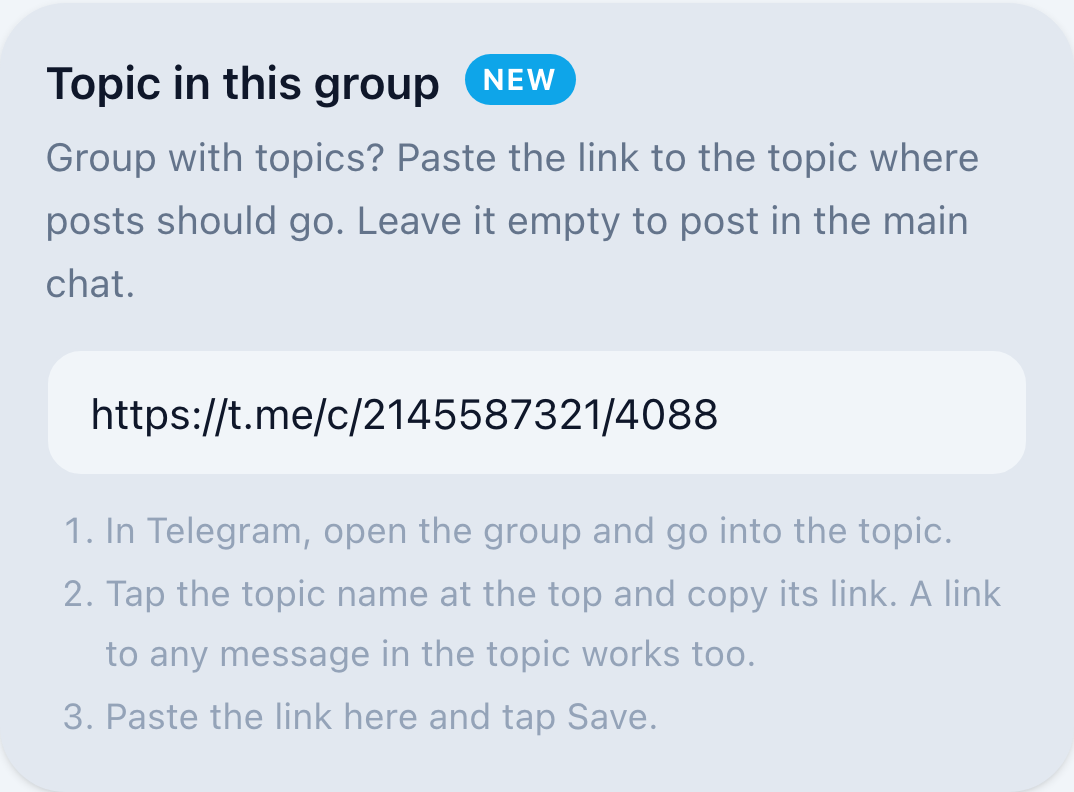
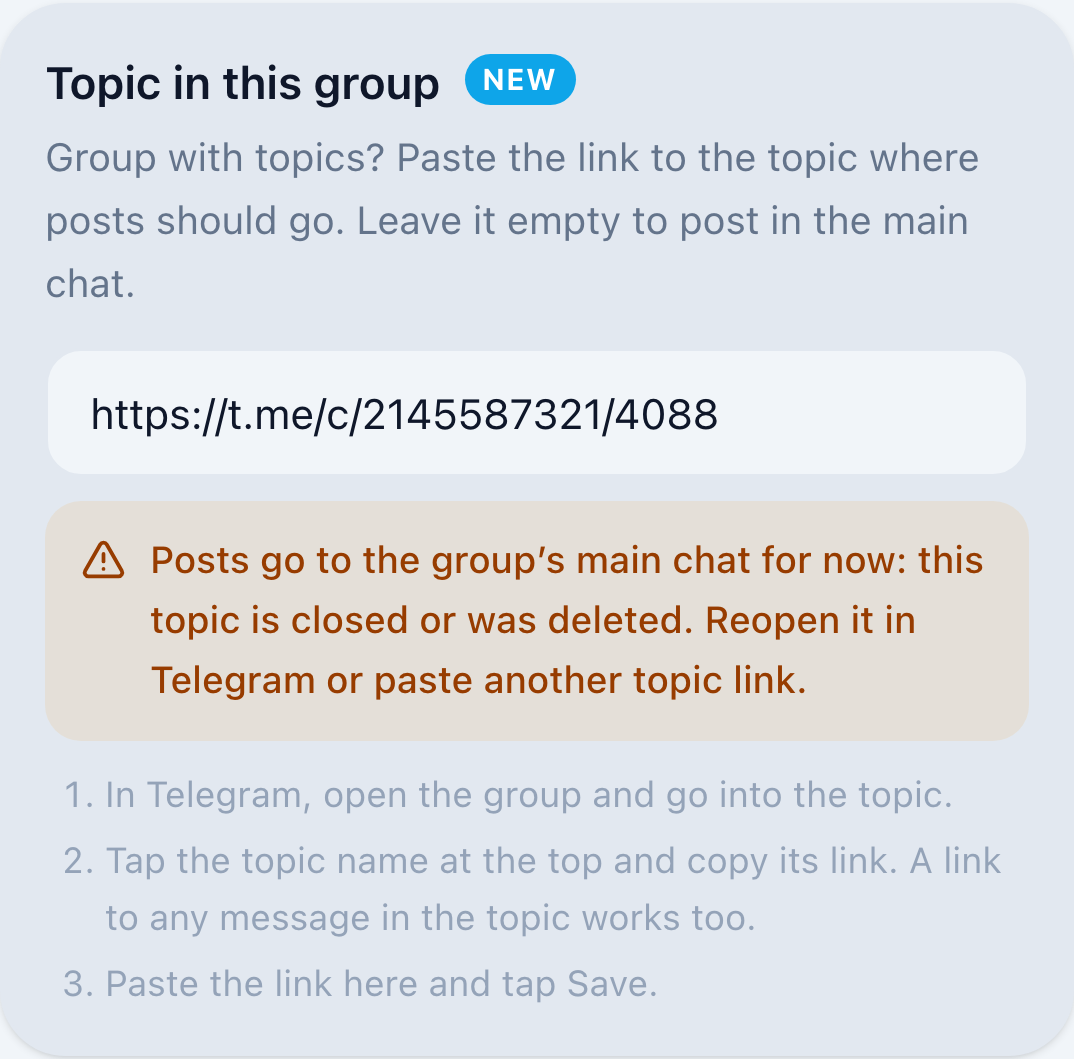
Paste the topic link into “Topic in this group” and tap Save. New posts go straight into that topic.
Your rule at a glance
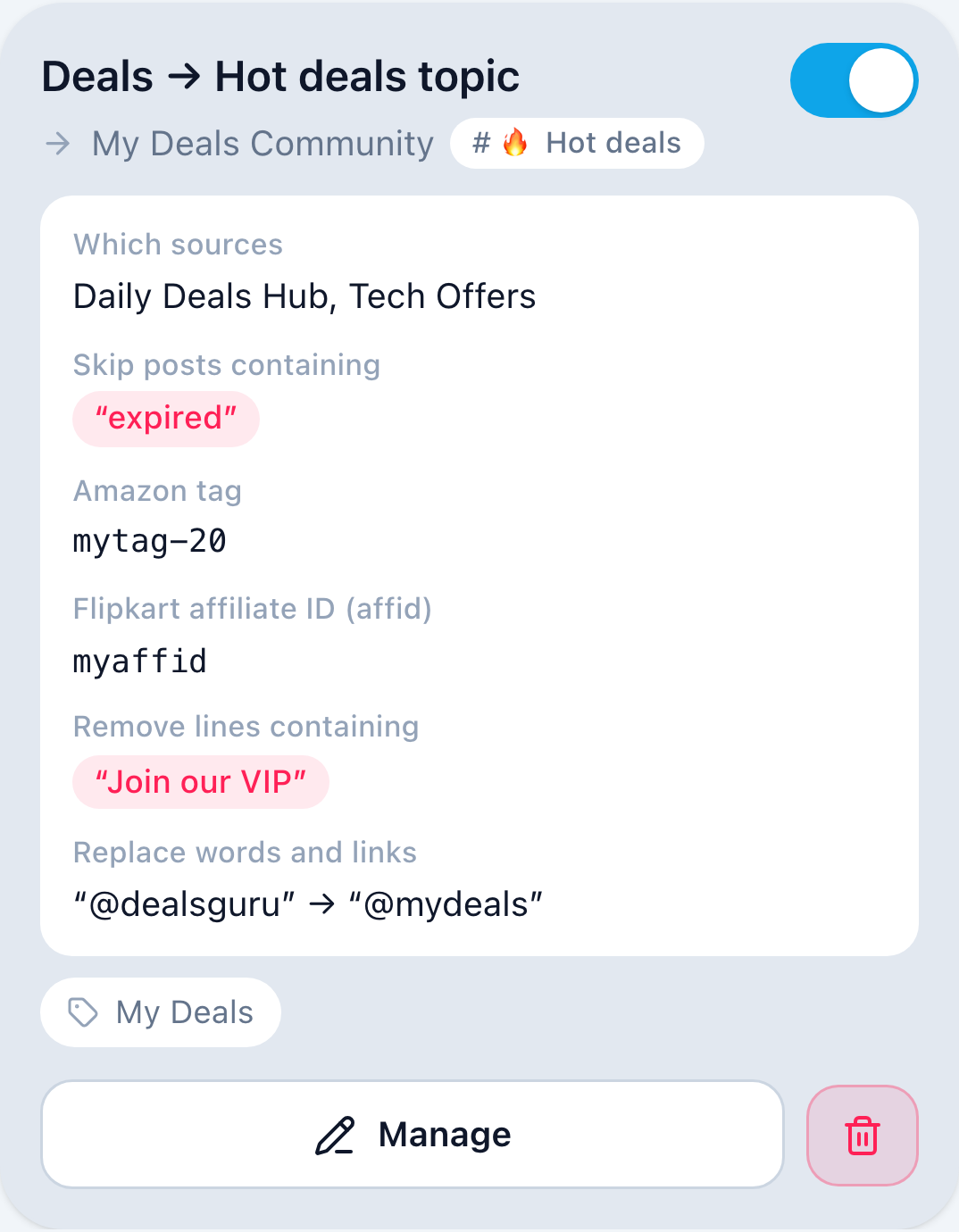
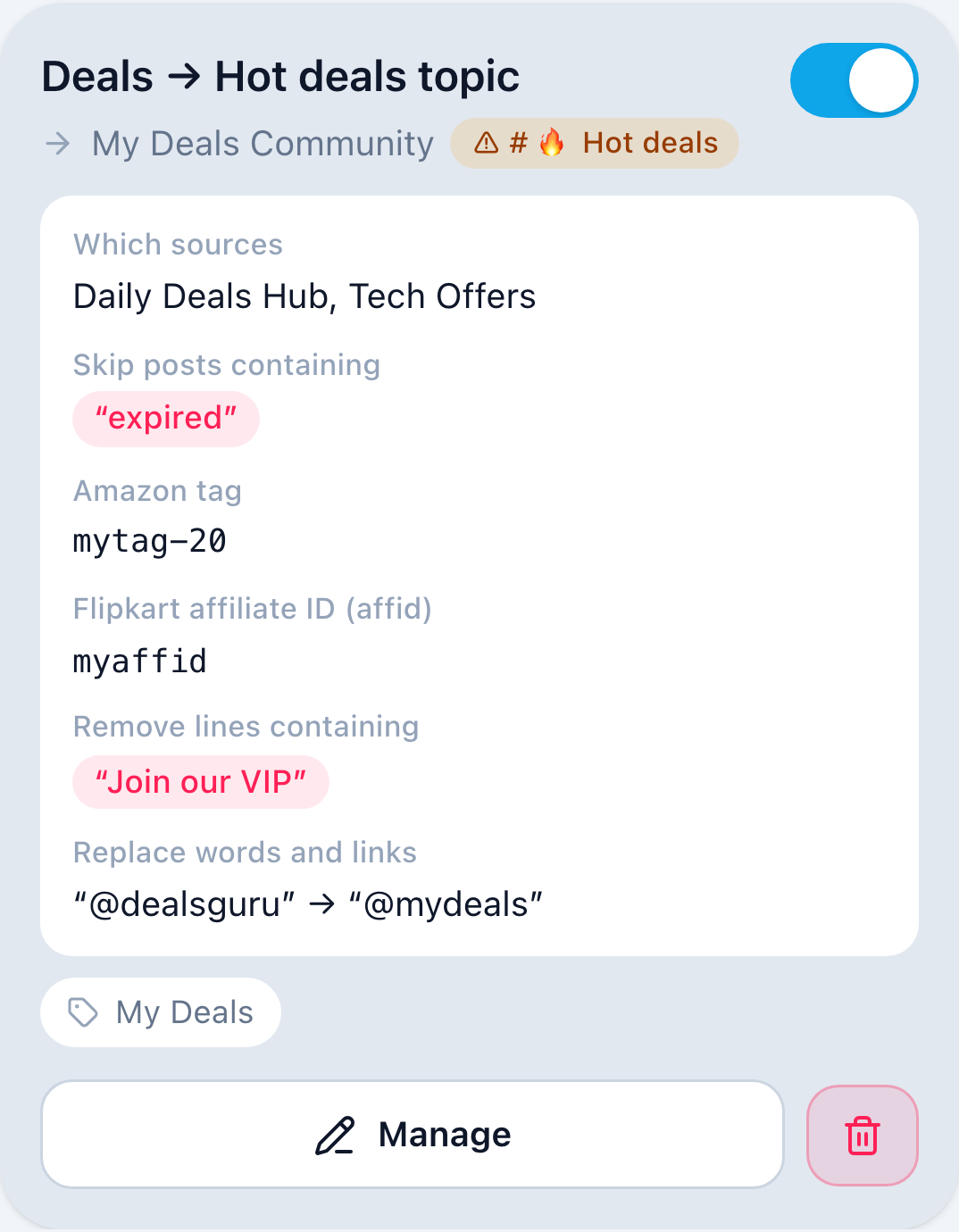
The rule card shows the topic next to the group, for example # 🔥 Hot deals.
- Bots can’t look up a topic’s name, so the name appears after the first post lands in the topic. Until then, the card shows the topic number.
- If you rename the topic later, the card keeps the old name.
What people use it for
Community groups
A “News” topic fed by several news channels, while people chat in the main topic.
Deals groups
One topic per shop or category, each fed by its own channels.
Team groups
Alerts and announcements go to their own topic and don’t bury the discussion.
How to add your topic
- 1
Open the topic in Telegram
Go to your group and tap the topic you want posts in, so you’re inside it.
- 2
Copy the topic link
Tap the topic name at the top of the screen. The topic page shows its link (like t.me/c/1234567890/42); tap it to copy. On a computer, right-click the link and choose Copy.
- 3
Or copy a message link
If you can’t find the topic link, press and hold any message in that topic and choose Copy Link. That works too.
- 4
Open Aggregaat
Go to Forwarding and tap Manage on your rule, or create a new rule and choose your group under “Where to forward”.
- 5
Paste and save
Paste the link into “Topic in this group” and tap Save. The rule card now shows the topic, and its name appears after the first post lands there.
Leave the field empty to post in the group’s main chat.
Want different sources in different topics? Create one rule per topic.
Good to know
- Every forwarded post goes into the topic: text, photos, videos, albums and files. Edits and deletions in the source follow the copy in the topic.
- Aggregaat checks that the link is from the group you picked, and that the topic exists and is open.
- The bot needs to be an admin that can send messages in the group, the same as for any forwarding to a group.
- Posts in a group show the Aggregaat bot as the sender. You can give it a custom admin title in the group settings.
- If the topic is closed or deleted, forwarding keeps running and posts go to the group’s main chat. Telegram only tells the bot when a post fails, so the warning arrives with the next post, not the moment the topic is closed.
- After a downgrade to Standard, the topic stays saved in the rule, but posts go to the main chat until you upgrade again.
Pairs well with
Keyword filters per rule
Each rule has its own keep and skip lists, so every topic gets only the posts meant for it.
Link and word replacement
Swap another channel’s @handle for yours, remove promo lines, and on Elite add your own affiliate tags.
Your own header and footer (Premium and Elite)
Put your own line above each post, and your own footer with links in place of the source channel name.
Which plans include it
Posting into a topic is on Premium and Elite. Make one rule per topic.
Standard
Free
Posts go to the group’s main chat
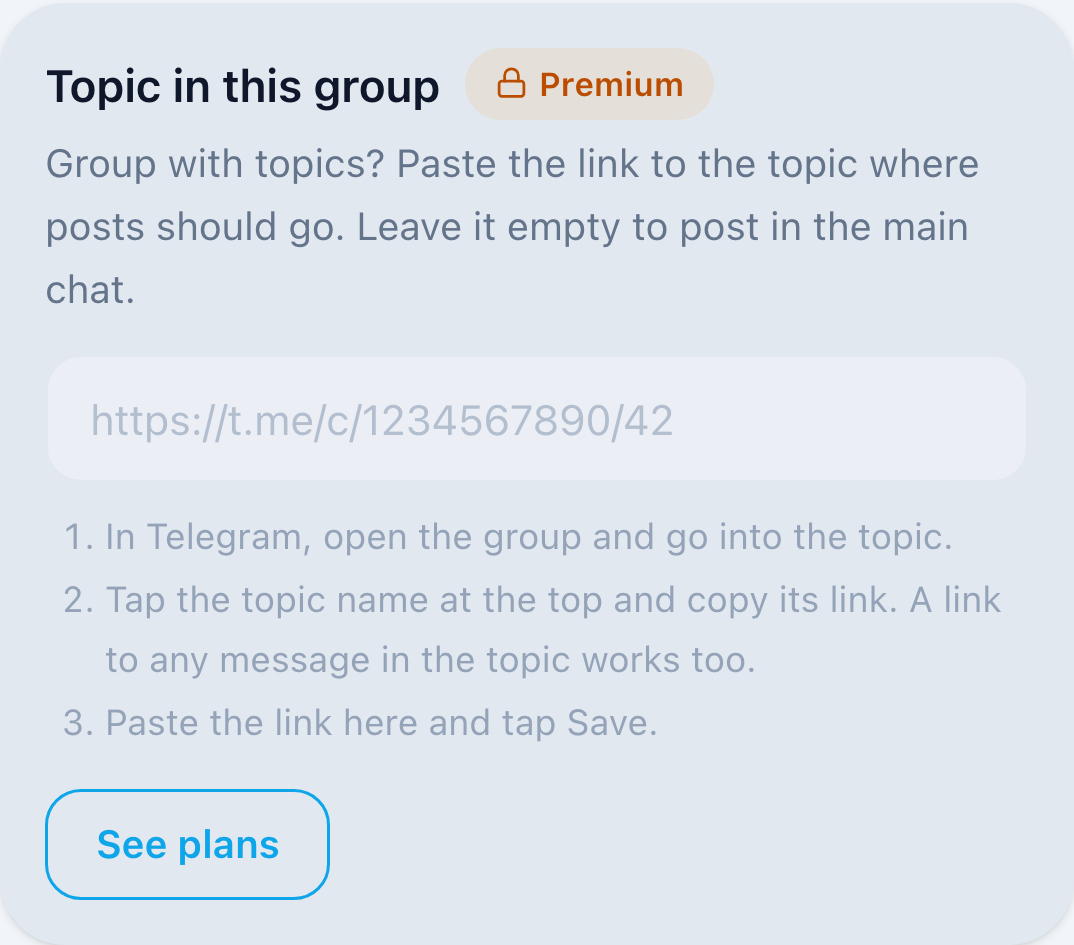
On Standard, the field is locked and posts go to the main chat.
Premium
$5.99/month
Up to 3 forwarding rules, each with its own topic
Elite
$15.99/month
Unlimited forwarding rules, each with its own topic
Group topics FAQ
Which plans include it?
Premium and Elite. On Standard, posts go to the group’s main chat.
Can different sources go to different topics?
Yes. Make one rule per topic. Premium allows 3 forwarding rules, Elite has no limit.
Do I need a public group?
No. Private and public groups with topics both work. Copy the link from inside the topic.
What happens if the topic is closed or deleted?
Forwarding keeps running, and posts go to the group’s main chat instead. The bot sends you a message, and the rule shows a warning in the app. Reopen the topic in Telegram and posts go back into it on their own, or paste another topic link in the rule.
Whose name is on the posts?
Posts in a group show the Aggregaat bot as the sender. You can give it a custom admin title in the group settings.
Give every source its own topic
Open Aggregaat in Telegram, create a forwarding rule to your group, and paste the topic link.
Set it up in the app