
Auto-forward Telegram posts to your groups and channels
Pick sources from 20,000+ Telegram channels and route their posts to your group, channel, or messages in real time. Each rule has its own keyword filters, can swap words for your own, and on Elite carry your own affiliate tags. Free to start.
Set up Telegram forwarding in 1 minute
Follow channels with a link, forward to your group or a topic, filter by keywords, choose content types, clean out promos and add your own header and footer.
- 1Open Forwarding and tap “New forwarding rule”
- 2Pick your group or channel
- 3Choose which channels to repost
- 4Optional: change links and words
- 5Optional: hide or rename the source
- 6Save
How it works
1. Where to forward
Tap “New forwarding rule” and pick your group or channel. Not listed yet? Tap “Connect a group or channel”: Telegram opens its native picker and adds the bot with posting rights automatically. No chat IDs, no admin menus.
2. Which sources
Forward everything you follow, including sources you add later, or pick specific channels from the catalog of 20,000+.
3. Which posts
Optional. Fill “Only keep posts containing” and “Skip posts containing”, and the “What you will receive” box spells out the result. Leave both empty to forward every post.
4. Link & word replacement
On Premium, swap another channel’s handle or link for yours, or remove a promo line. Elite adds your own Amazon and Flipkart tags. Tap “Save” and new posts start arriving.
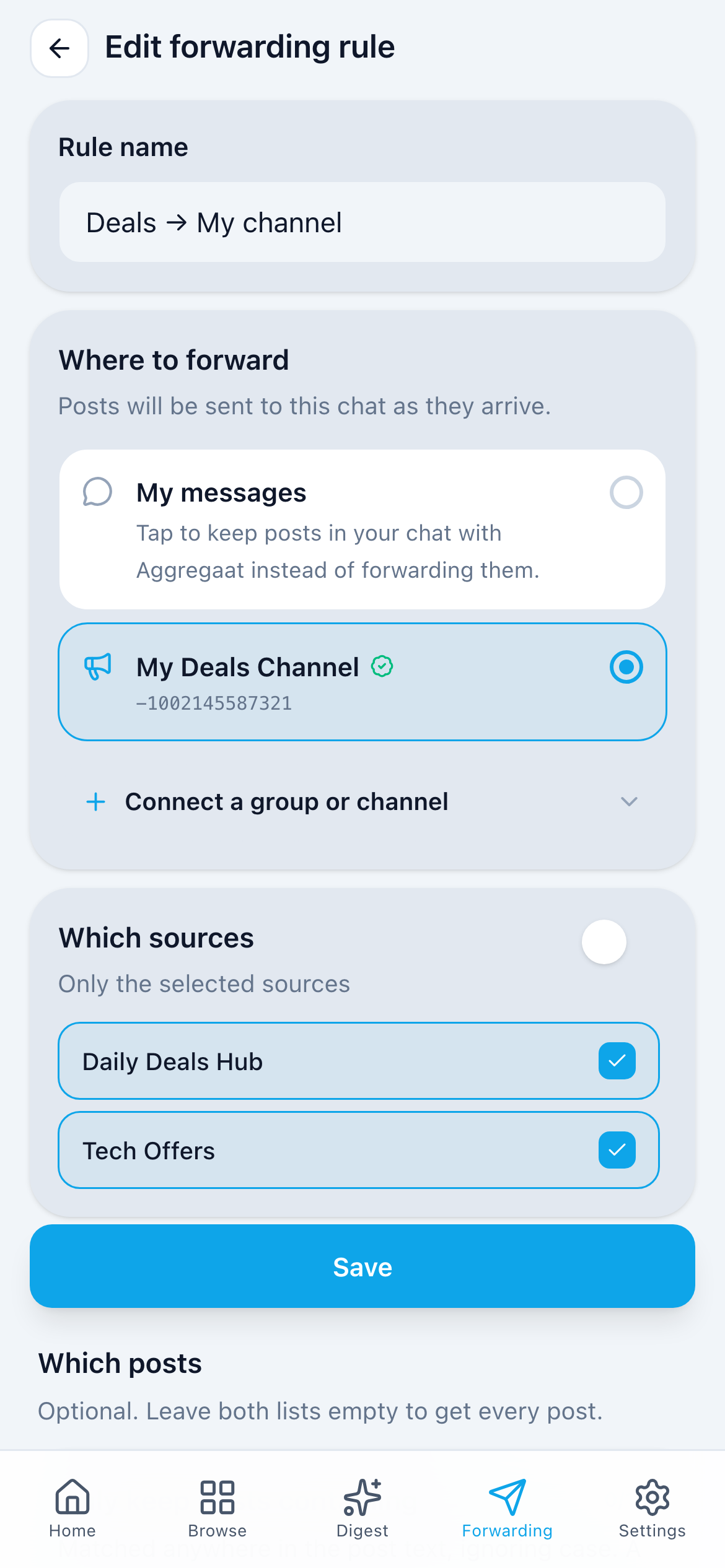
One rule per group or channel: to change what a chat receives, edit its rule.
Step-by-step guide with a videoForward crypto signals to your group as soon as they’re posted
Follow signal and market channels and repost only the coins you trade into your own group or channel, in real time.
- Only the coins you trade: keep posts that mention “BTC” or “ETH”, and skip “VIP” offers and ads.
- Real time on every plan, including free. Combine several signal channels into one feed.
- Clean reposts: remove lines like “Join our VIP”, swap the source’s @handle for yours, or hide the source channel name (Premium and Elite).
- One rule per destination: signals to your trading group, market news to your channel.
Aggregaat forwards posts as the source channel publishes them. It doesn’t check or rate signals, and nothing here is financial advice.
- Only keep posts containing
- “BTC”“ETH”
- Skip posts containing
- “VIP”
BTC/USDT · LONG Entry: 64,200 – 64,800 TP: 66,000 · SL: 63,100
My Signals
12:04
ETH/USDT · SHORT Entry: 3,420 – 3,460 TP: 3,300 · SL: 3,510
My Signals
12:31
Air-raid and radar alerts for your area, forwarded to your group
Follow alert and radar channels and get only the posts about your city or district, in your own chat or in your family’s or team’s group.
- Only your area: keep posts that mention your city or district, and leave out the rest of the country.
- Several channels, one stream: combine alert and radar channels into one group, so nobody has to watch them all.
- Real time, no login: Aggregaat reads public channels for you, and you never connect your Telegram account.
- A rule per group: your city to the family chat, your region to the team group.
Use Aggregaat alongside official alerts and sirens, not instead of them. Delivery depends on the source channels and Telegram, so a post can arrive late. Add every spelling your sources use for your area, and remember that a map or photo without a caption has no text to match, so it’s skipped while a keyword filter is on.
- Only keep posts containing
- “Харків”“Kharkiv”
🔴 Повітряна тривога в Харкові та області. Загроза ударних БпЛА. Пройдіть в укриття.
Харків · Тривога
02:14
- Only keep posts containing
- “Белгород”“Belgorod”
⚠️ Белгород: ракетная опасность. Угроза атаки БПЛА. Пройдите в укрытие.
Белгород · Оповещения
02:21
Different posts for every destination
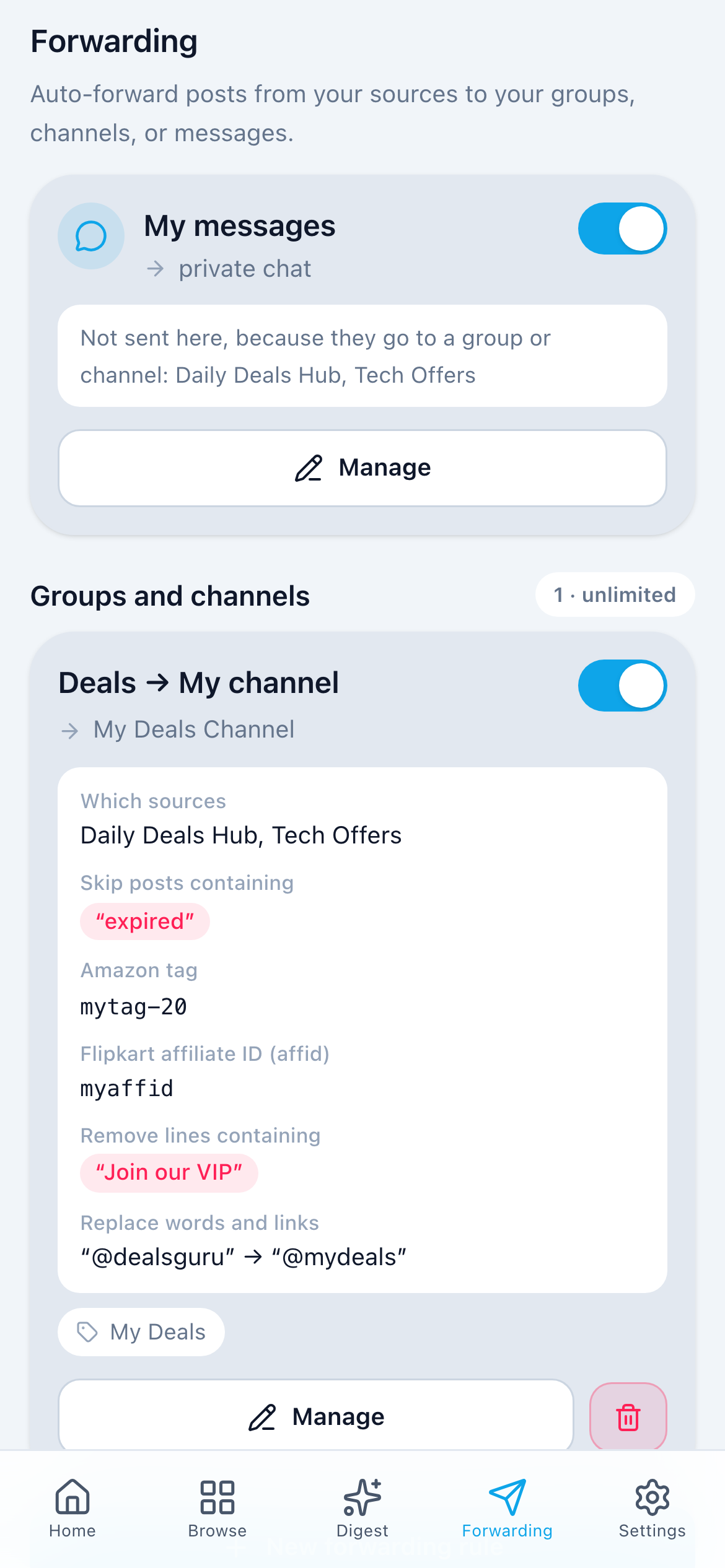
Every forwarding rule has its own filters. One channel gets only phone and laptop deals while a work group gets only crypto news, at the same time.
My messages
Your bot chat, with its own filters. Doesn’t use up a rule.
Groups and channels
2 / 3Tech Deals → @mydeals
- Only keep posts containing
- “iphone”“laptop”
- Skip posts containing
- “refurbished”
What you will receive
Posts mentioning “iphone”, “laptop” are delivered. Posts mentioning “refurbished” are skipped. Every other post is skipped.
Crypto News → Work group
- Only keep posts containing
- “bitcoin”
What you will receive
Posts mentioning “bitcoin” are delivered. Every other post is skipped.
Limits apply per rule, to each list: Standard 1 keyword, Premium 10 keywords + 10 skip-words, Elite 30 + 30. A skip-word always wins, and one switch can pause all filters at once.
Your affiliate tag, not theirs
Run a deals or coupon channel? Forward deals from other channels, and Aggregaat swaps their affiliate tag for yours before the post reaches your channel. Elite plan.
Source channel posts
iPhone 15 (128 GB) at $699, lowest price this month 🔥
https://www.amazon.com/dp/B0CHX1W1XY?tag=dealsguru-20
More deals: @dealsguru
12:04
Your channel receives
iPhone 15 (128 GB) at $699, lowest price this month 🔥
https://www.amazon.com/dp/B0CHX1W1XY?tag=yourtag-20
More deals: @mydeals
12:04
Amazon tag
Replaces the tag= value in Amazon links. Short links (amzn.to, a.co, amzn.in, amzn.eu) are opened and the full link is rewritten.
Flipkart affiliate ID (affid)
Replaces affid= in Flipkart links, including fkrt.it short links.
Other shops
For any other shop, set a link parameter by domain, name and value, for example myntra.com · ref · your id.
Replace words and links
Plain find → replace for whole words in any letter case. Swap another channel’s name, @handle or t.me link for your own, or leave the replacement empty to delete the text.
Remove lines containing
Remove lines containing a word, such as “Join our VIP group”, so another channel’s promo never reaches yours.
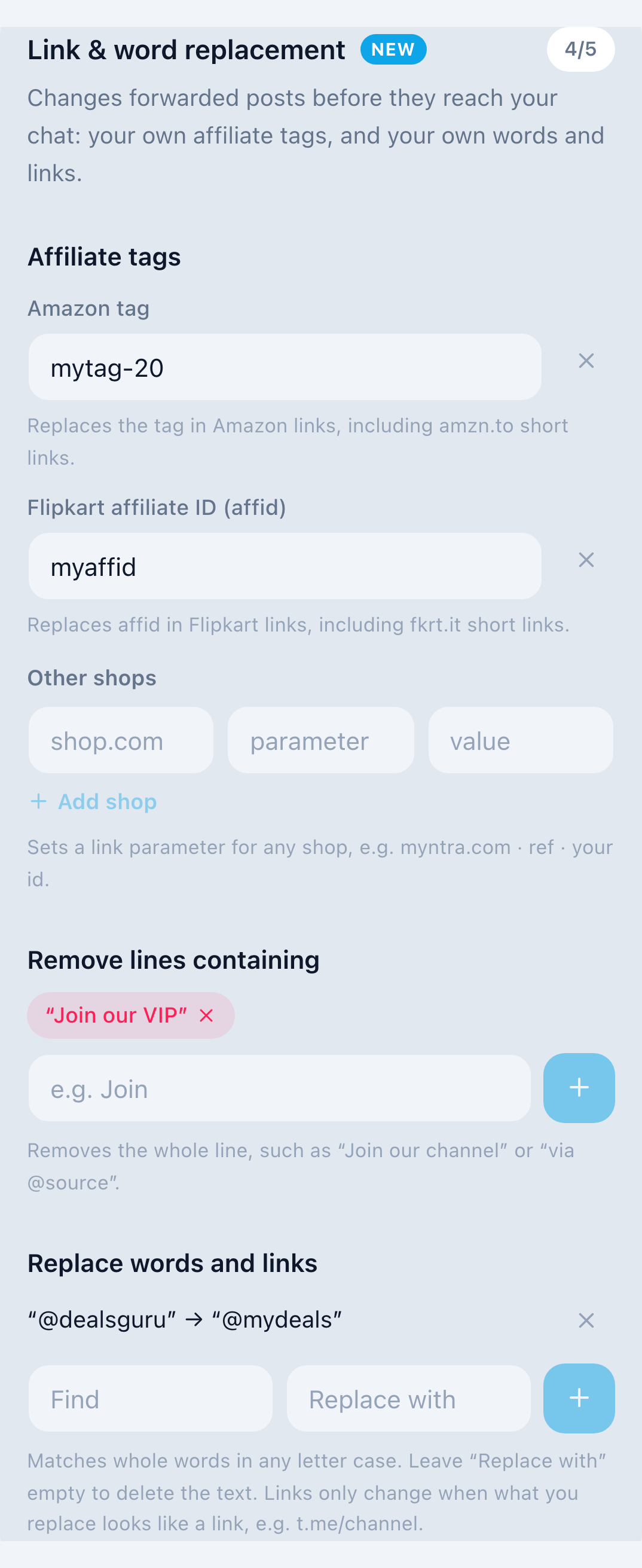
Set per rule, so one channel can carry your tags while another forwards posts untouched. Affiliate tags are on Elite, with up to 5 changes per rule. Premium gets 1 change per rule: replace a word or link, or remove a line. The post footer is never changed.
More about affiliate link replacementMake forwarded posts look like your own
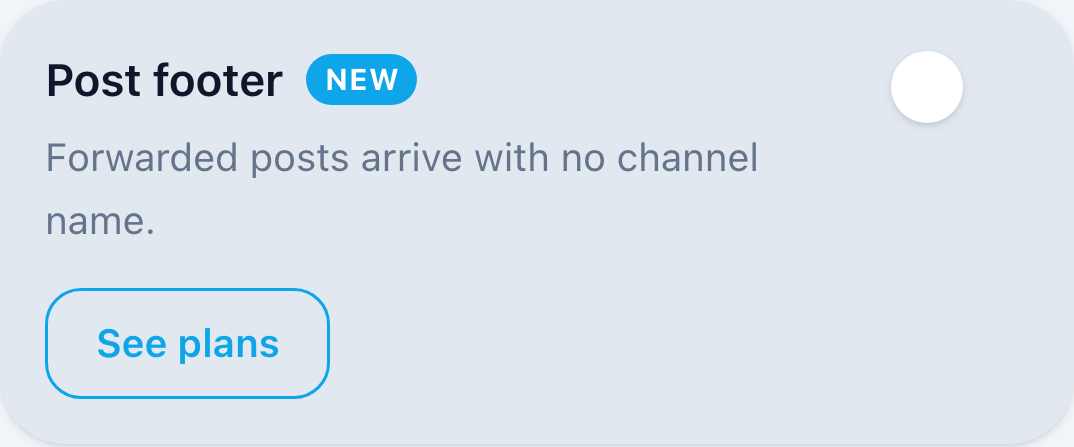
Every forwarded post ends with a bold line naming the source channel. On Premium and Elite you can hide it, or write your own footer with links, up to 3 lines, and add a line above every post. Set it per forwarding rule.
Central bank keeps the key rate unchanged. Next review is scheduled for December.
Market Wire
12:04
Ends with the source channel name
Central bank keeps the key rate unchanged. Next review is scheduled for December.
12:04
Source channel hidden — the post stands on its own
Central bank keeps the key rate unchanged. Next review is scheduled for December.
My News Hub
12:04
Your own footer with links, plus a line above the post
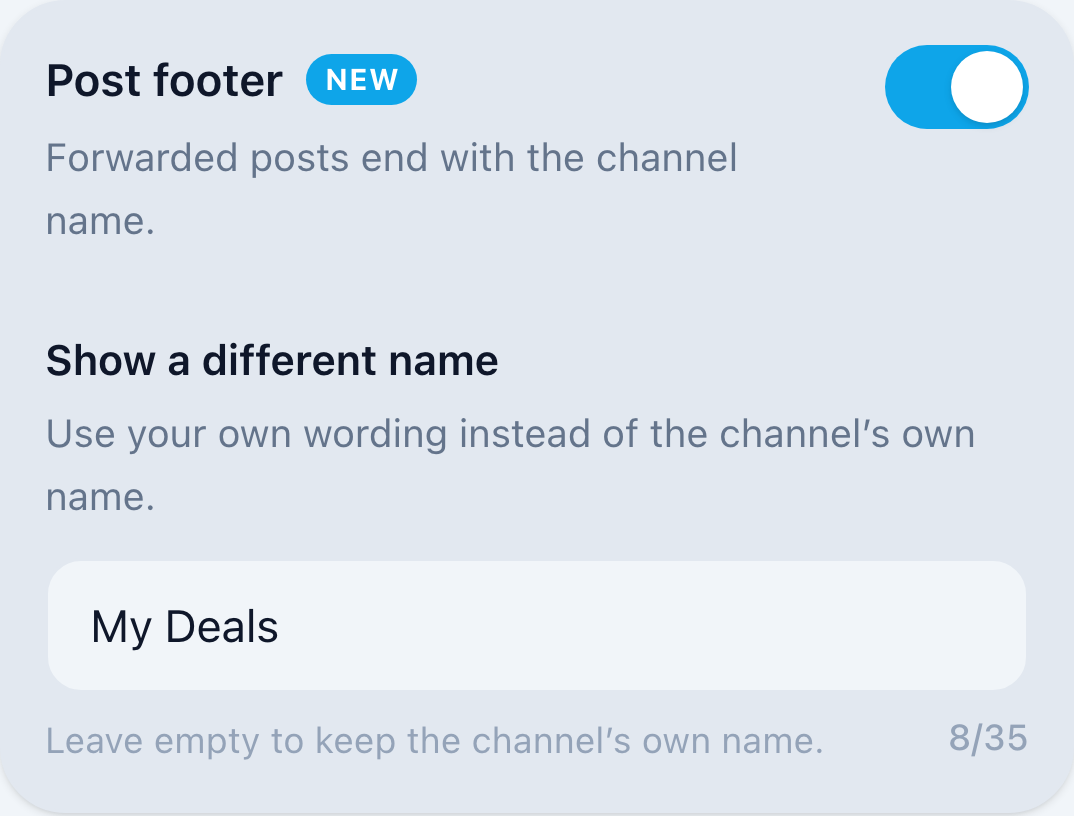
Switch it anytime in the mini app: open a forwarding rule → Post footer.
Post into a topic
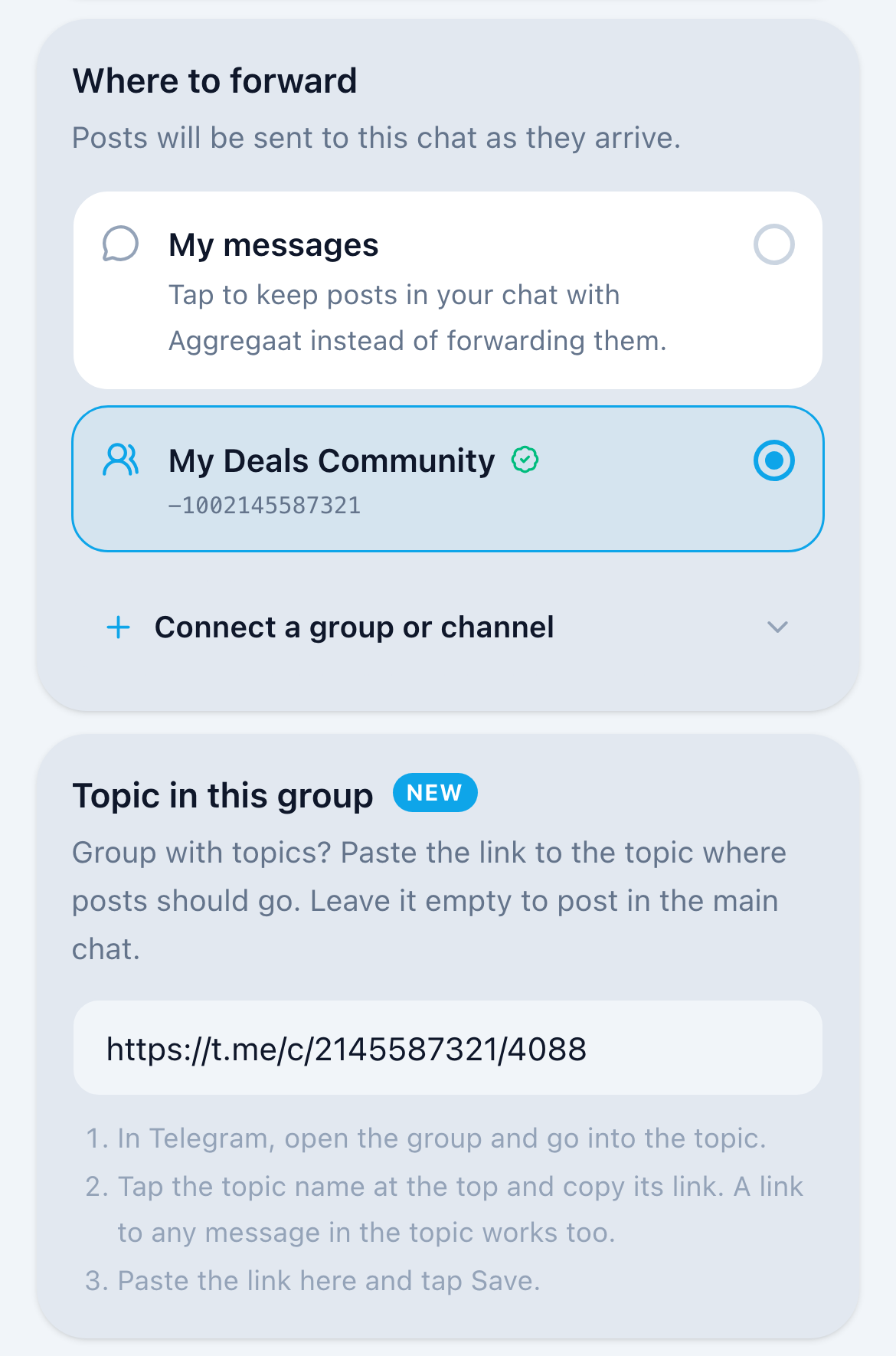
Group with topics? A forwarding rule can post into one chosen topic instead of the group’s main chat. Copy the topic’s link in Telegram, paste it into “Topic in this group” and tap Save. Premium and Elite.
- Every forwarded post goes into the topic: text, photos, videos, albums and files.
- One rule per topic, so one group can get different sources in different topics.
- Leave the field empty and posts go to the group’s main chat, as before.
Built for real forwarding workflows
Groups, channels, or your messages
Each rule has its own destination. Run a curated news channel, keep a work group updated, or just collect everything in your own chat.
Keyword filters per rule
Each rule has its own keep and skip lists, so every destination gets different posts and ads, giveaways and off-topic noise stay out. On every plan, including free.
Multiple rules in parallel
Route crypto sources to your trading group and job postings to your channel — different sources, different destinations, at the same time.
AI digests to the same destinations
Scheduled AI digest summaries can be delivered to a group or channel too, not just raw posts.
Forwarding on every plan
Every plan forwards in real time. Paid plans add more rules, more keywords, link and word replacement (Premium) and affiliate tags (Elite), and control over the post footer.
Standard
Free
- 1 rule — to your messages, a group, or a channel
- 1 keyword per rule
- Post footer: source channel name
Premium
$5.99/month
- 3 rules
- 10 keywords + 10 skip-words per rule
- Link replacement: 1 per rule (words, links, lines)
- Post footer: hide it, or your own header and footerNew
Elite
$15.99/month
- unlimited rules
- 30 keywords + 30 skip-words per rule
- Link replacement: 5 per rule, incl. affiliate tags
- Affiliate tags (Amazon, Flipkart, any shop)
- Post footer: hide it, or your own header and footerNew
Forwarding FAQ
Do I need to make the bot an admin?
For groups, adding the bot as a member is enough. For channels, Telegram requires the bot to be an admin with the "Post messages" right. The one-tap picker sets this up automatically — you just confirm.
Can I forward only posts with certain keywords?
Yes. Each rule has its own “Only keep posts containing” and “Skip posts containing” lists, so different destinations get different posts. The free plan includes 1 keyword per rule; Premium 10 keywords and 10 skip-words per rule, Elite 30 of each. Matching ignores letter case and covers word forms.
Can I forward to several chats at once?
Yes. Create one rule per destination: each group or channel can have only one rule, so to change what a chat receives, edit its rule. Premium includes 3 rules, Elite is unlimited, and the free Standard plan includes 1.
Is forwarding free?
The Standard plan is free and includes 1 forwarding rule that can target a group or channel, with its own keyword filter. Paid plans add more rules, more keywords per rule, and link and word replacement.
What happens if the bot is removed from my chat?
The rule pauses automatically and shows a warning in the app. Re-add the bot and switch the rule back on — nothing is lost.
Can I hide the source channel name on forwarded posts?
Yes, on Premium and Elite. By default each forwarded post ends with the source channel name in bold. Turn the post footer off in a forwarding rule and posts arrive with no channel name. The setting is per rule, so one destination can show sources while another hides them.
Can I add my own text above and below forwarded posts?
Yes, on Premium and Elite. Write your own footer, up to 3 lines, and it replaces the source channel name under every post that rule forwards. @channels and links are clickable, and [Website](https://…) makes a named link. You can also add one line above every post, such as “🔥 Deal of the day”. Leave both empty to go back to the channel’s own name.
Can I put my own affiliate tag on forwarded deals?
Yes, on Elite. In a forwarding rule, open Link & word replacement and enter your Amazon tag or Flipkart affiliate ID. Amazon and Flipkart links then carry yours, including amzn.to, a.co, amzn.in, amzn.eu and fkrt.it short links. Elite allows up to 5 changes per rule, affiliate tags included. Premium gets 1 change per rule without affiliate tags: swap a word or link, such as another channel’s @handle, or remove a line.
Does My messages count as a forwarding rule?
No. My messages is the built-in item at the top of the Forwarding tab for the posts the bot sends to your own chat. Everyone has it, it has its own filters, and it doesn’t use up a rule. You can switch it off, but not delete it. Sources that a rule forwards to a group or channel don’t also arrive there.
Set up your first forwarding rule
Open Aggregaat in Telegram and create a rule in under a minute. No login, no chat IDs.
Start in Telegram