
Clean copies: delete sync, no duplicates, a log of every post
Keep your copy channel in sync with the source, get each story once, and see what happened to every post.
Clean copies and Recent posts in a minute
Switch on delete sync and skip duplicates, then see what happened to each post in Recent posts.
Step by step
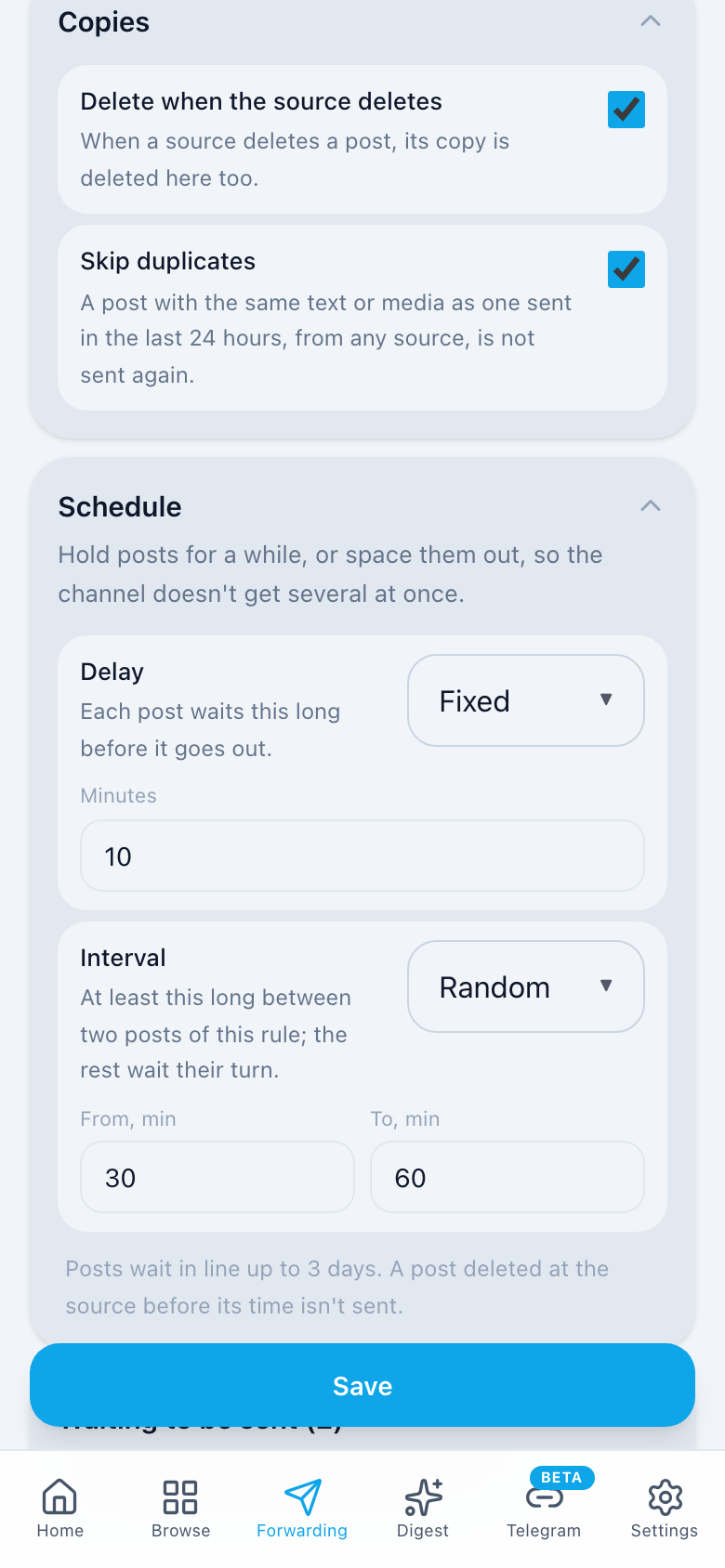
1. Switch on the Copies options
Open a rule, tap Copies and switch on Delete when the source deletes and Skip duplicates.
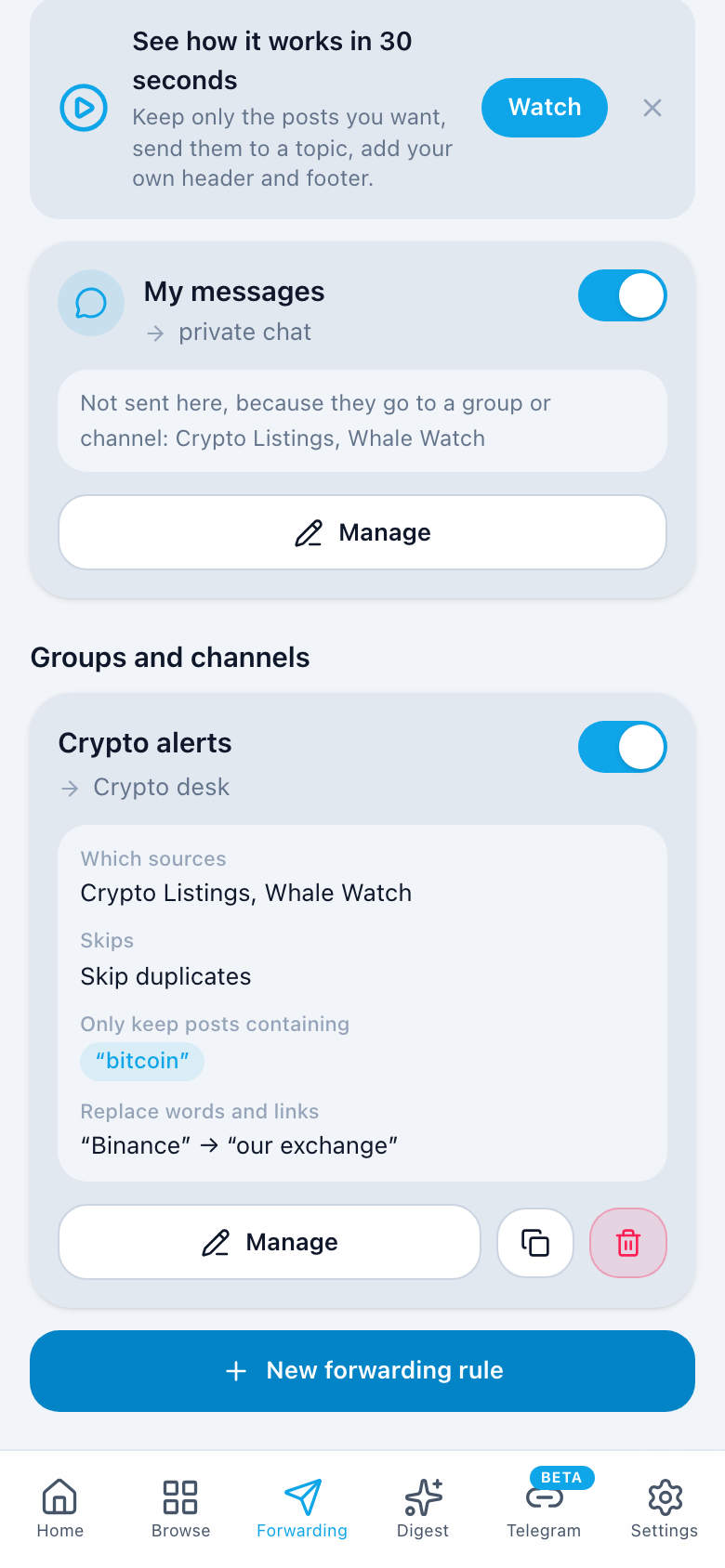
2. Save
The rule’s card in Forwarding now lists what it skips.
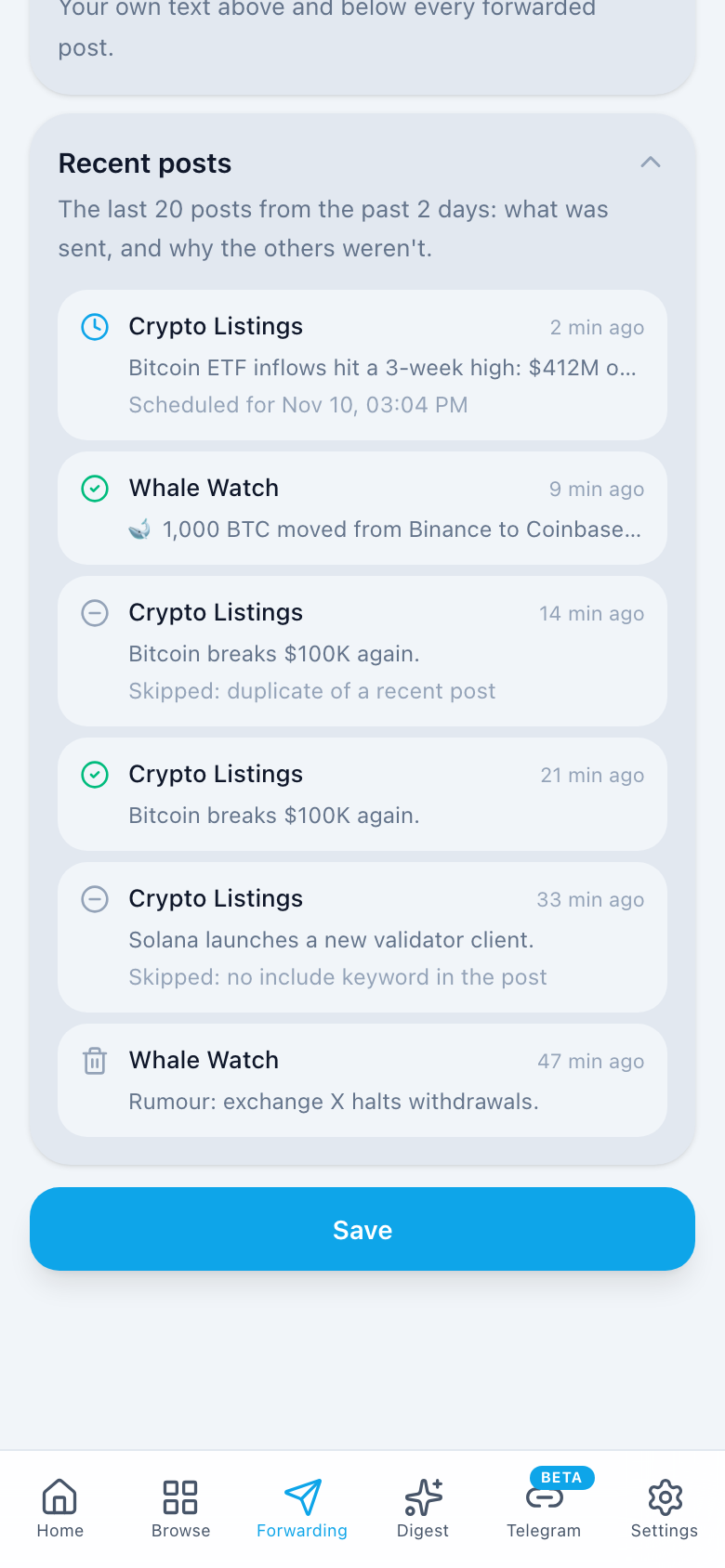
3. Open Recent posts
Open the rule again and tap Recent posts: its last 20 posts, each with its status.

4. Tap a post for details
See the keyword it matched, the words replaced, the text as sent and a link to the original.

5. See why posts were skipped
Skipped posts say why: a duplicate, a keyword, a post type. A trash icon marks copies deleted with the source.
Delete when the source deletes
A post removed at the source is removed from your chat too, for posts forwarded in the last 7 days. Premium and Elite.
Skip duplicates
The same text, or the same photo or video, already sent by the rule in the last 24 hours goes out once, from any source. Elite.
Recent posts
The last 20 posts of each rule from the past 2 days: sent, scheduled, skipped, failed or deleted, and why. Every plan.
Which plans include it
Recent posts: every plan. Delete sync: Premium and Elite. Skip duplicates: Elite. Both stay off until you switch them on.
Common questions
What counts as a duplicate?
The same text, ignoring case and punctuation, or the same photo or video, sent by this rule in the last 24 hours from any source. Texts under 15 characters aren’t compared.
Does delete sync work for old posts?
For posts forwarded in the last 7 days. Older copies stay where they are.
Why wasn’t a post forwarded?
Open the rule and tap Recent posts. Every skipped post shows the reason, such as a keyword, a duplicate or a post type that’s switched off.
How long is the history kept?
The last 20 posts of each rule, from the past 2 days.
Do these work when posting as my own account?
Yes. Delete sync, duplicates and Recent posts work whether the rule sends as our bot or as your Telegram account.