
Connect your Telegram: read your own chats next to catalog channels
Log in once and pick chats you're already in, like private groups, channels and bots. They work in forwarding and digests just like catalog channels, and you can post as yourself.
Connect and add your chats
Log in with your phone number, pick the chats to read and find them in My sources.
One rule for catalog channels and your own chats
Forward a catalog channel and a private group to one chat, with a keyword filter.
What we do with your account
- We read only the chats you pick. Never your other chats or your contacts.
- Your account posts only into the chats you choose in your forwards and copies. It never joins chats or messages people on its own.
- Two-step verification stays on: you enter the password once and we never store it.
- Telegram shows a “New login” alert. That’s us: you can see or end the session anytime in Telegram → Settings → Devices.
- Disconnect in the app and we log the session out and delete it.
Step by step
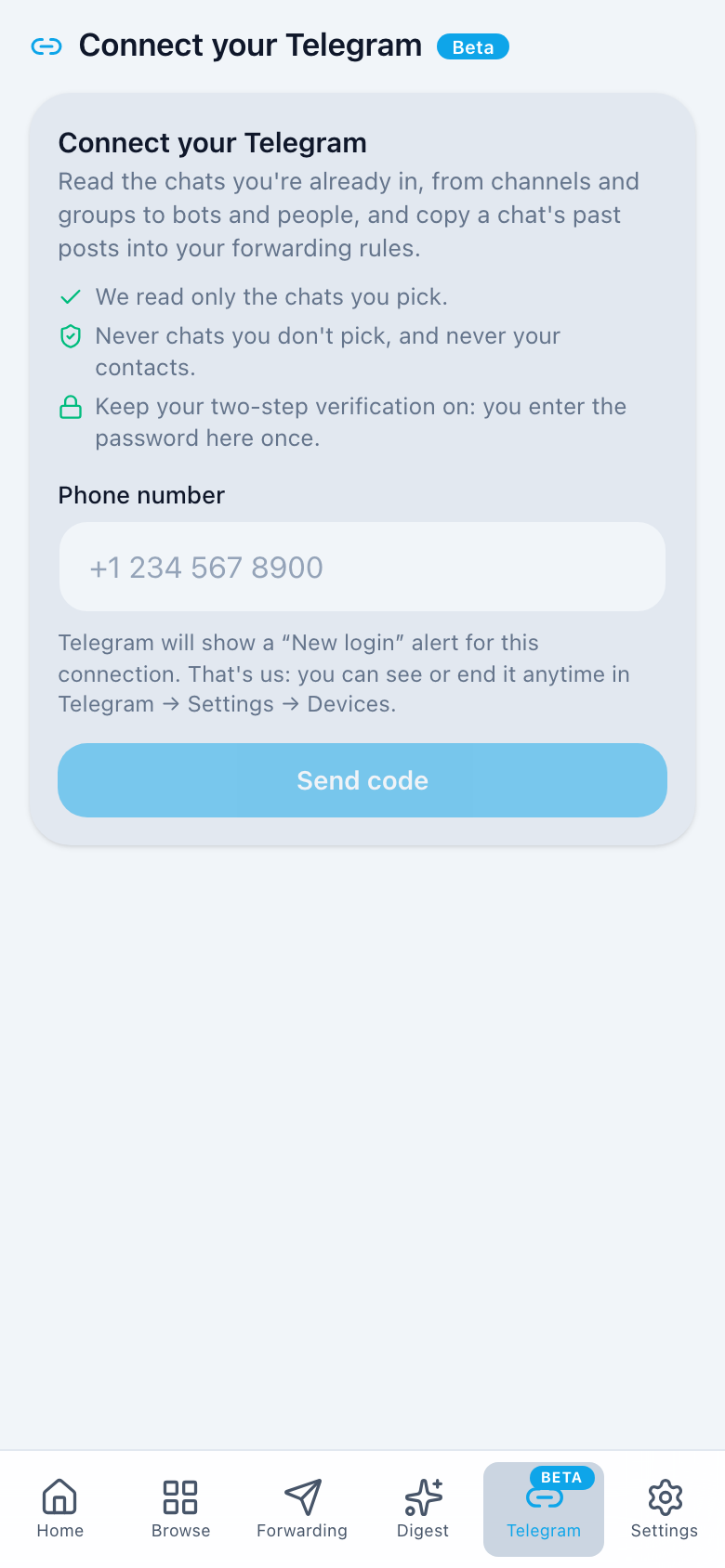
1. Open the Telegram tab
In Aggregaat, tap Telegram in the bottom bar, or Connect your Telegram on Home.
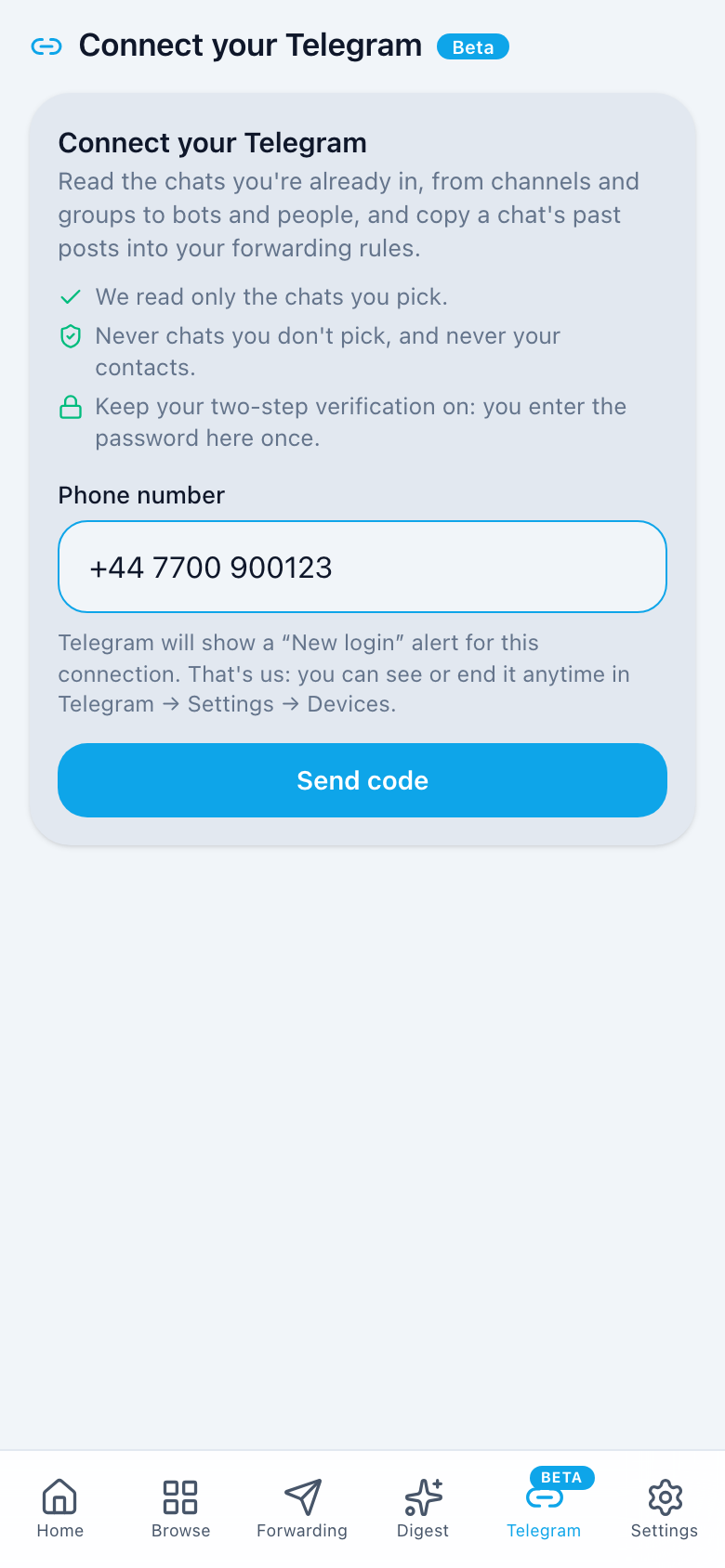
2. Enter your phone number
Type your Telegram account’s number with the country code and tap Send code.
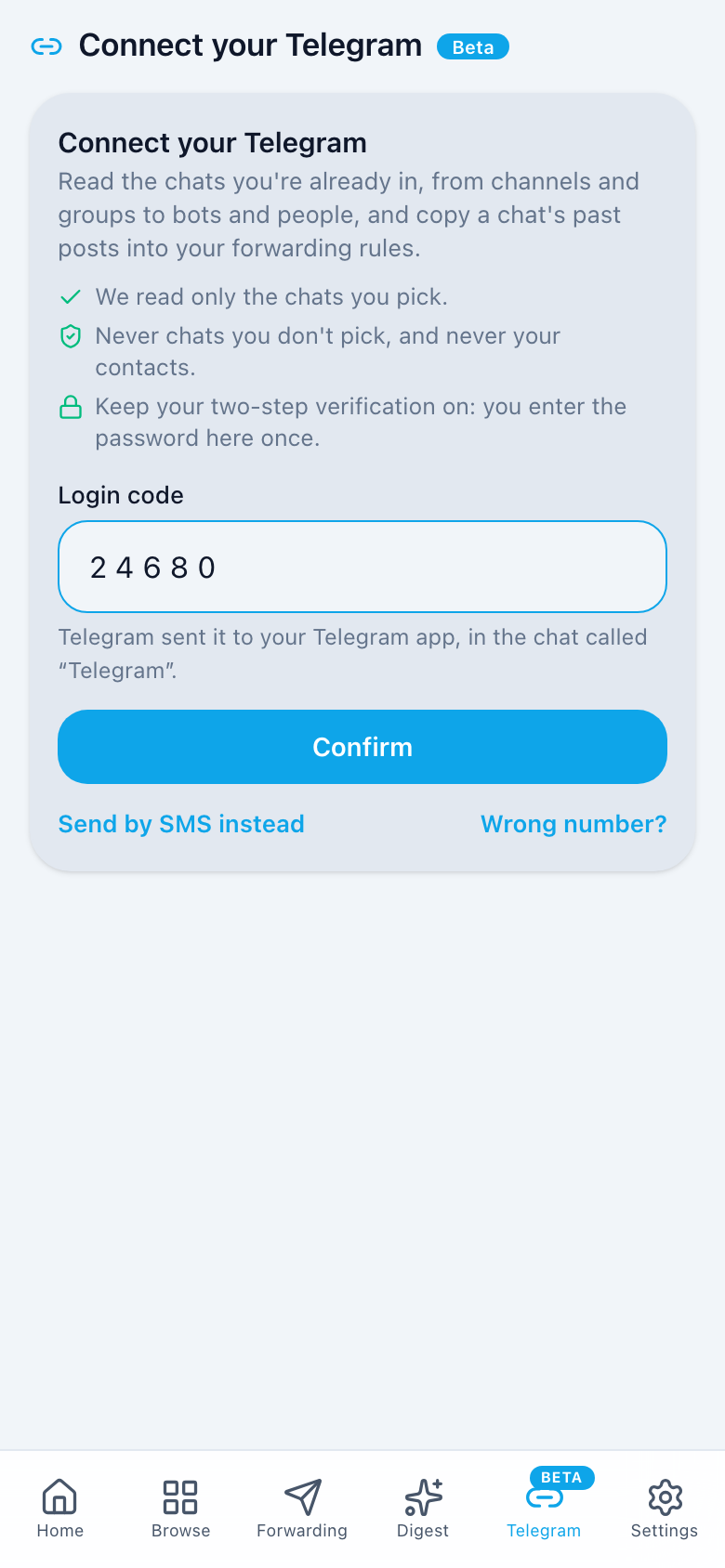
3. Type the login code
Telegram sends it to your Telegram app, in the chat called Telegram. No code? Wait for the timer and have it sent by SMS.
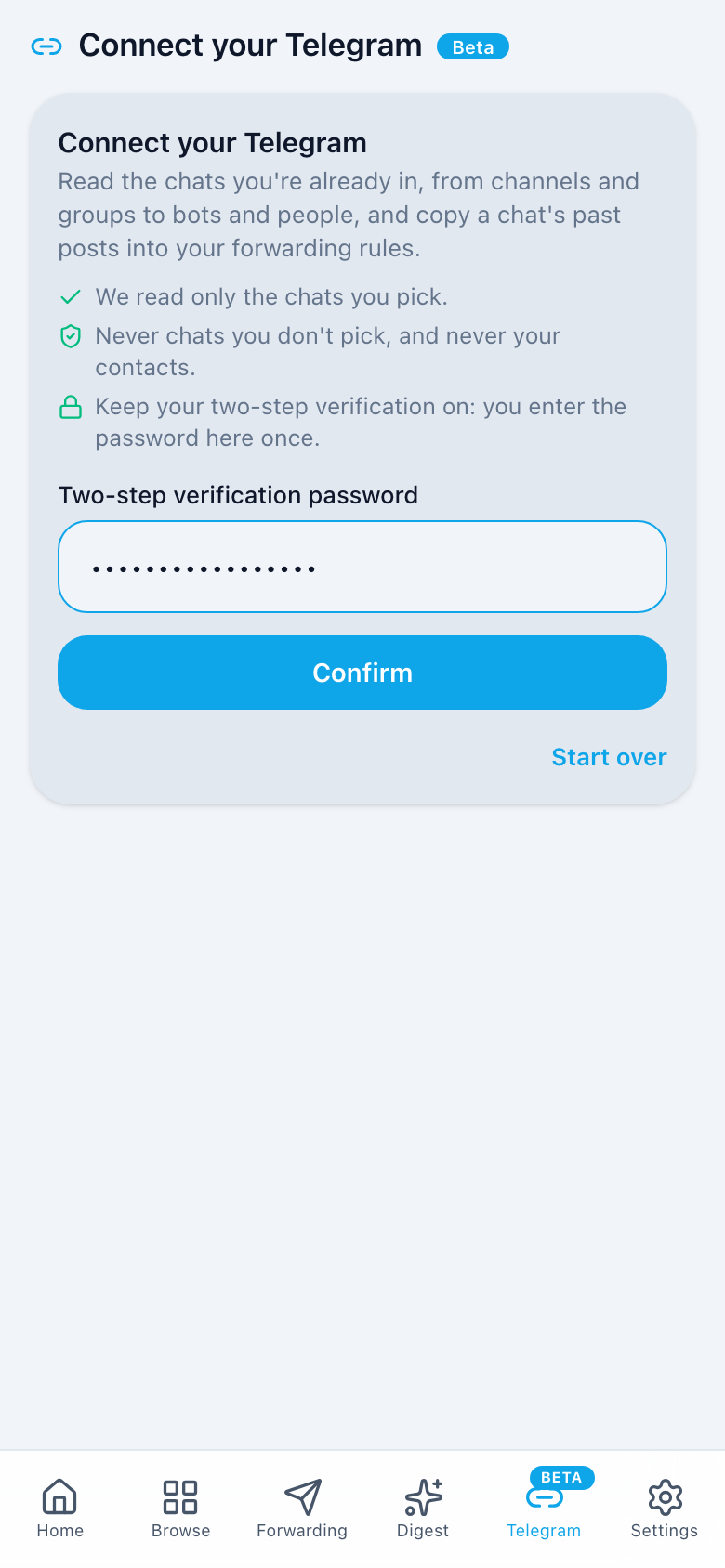
4. Enter your password, if you have one
With two-step verification on, Telegram asks for your cloud password. You enter it once.
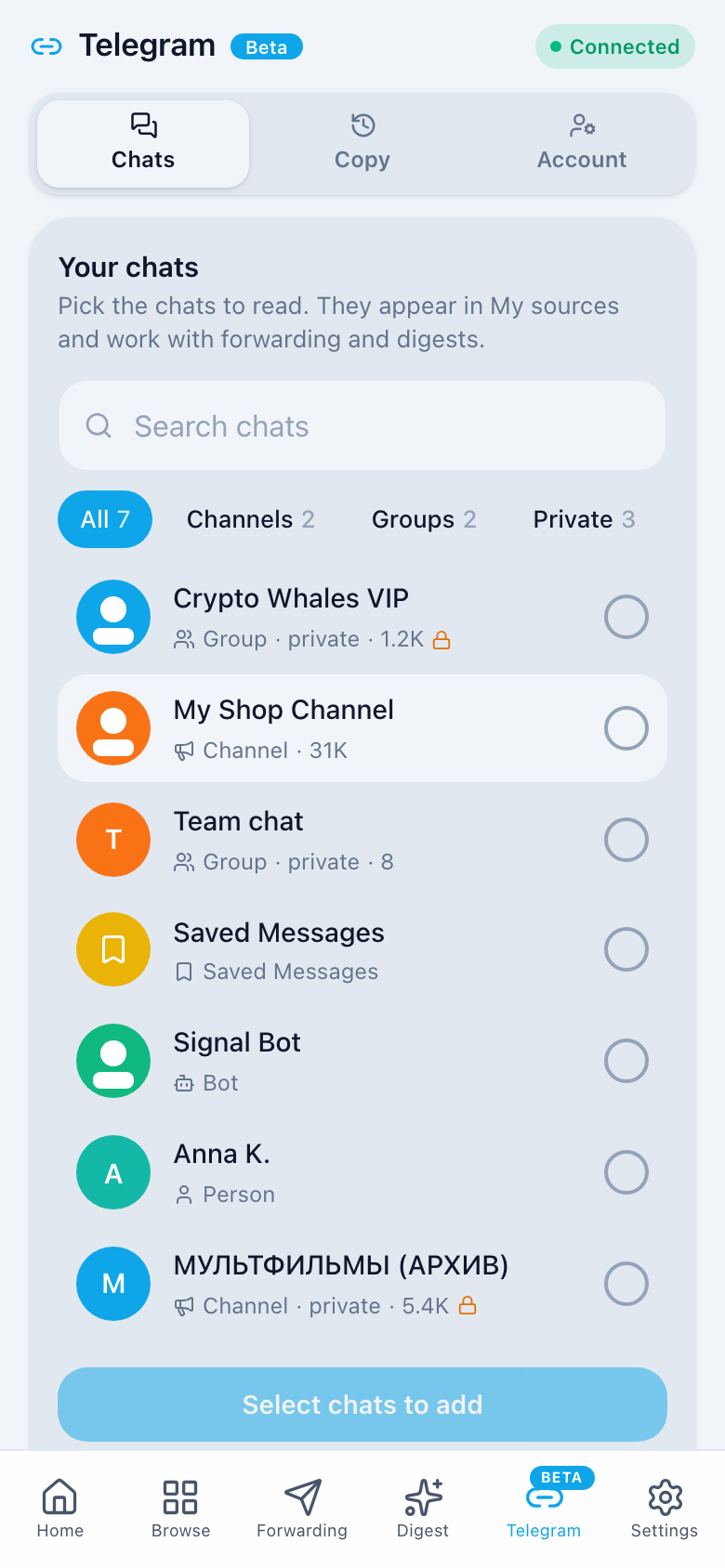
5. See your chats
Once connected, your chats are listed by type: channels, groups, private, bots and people.
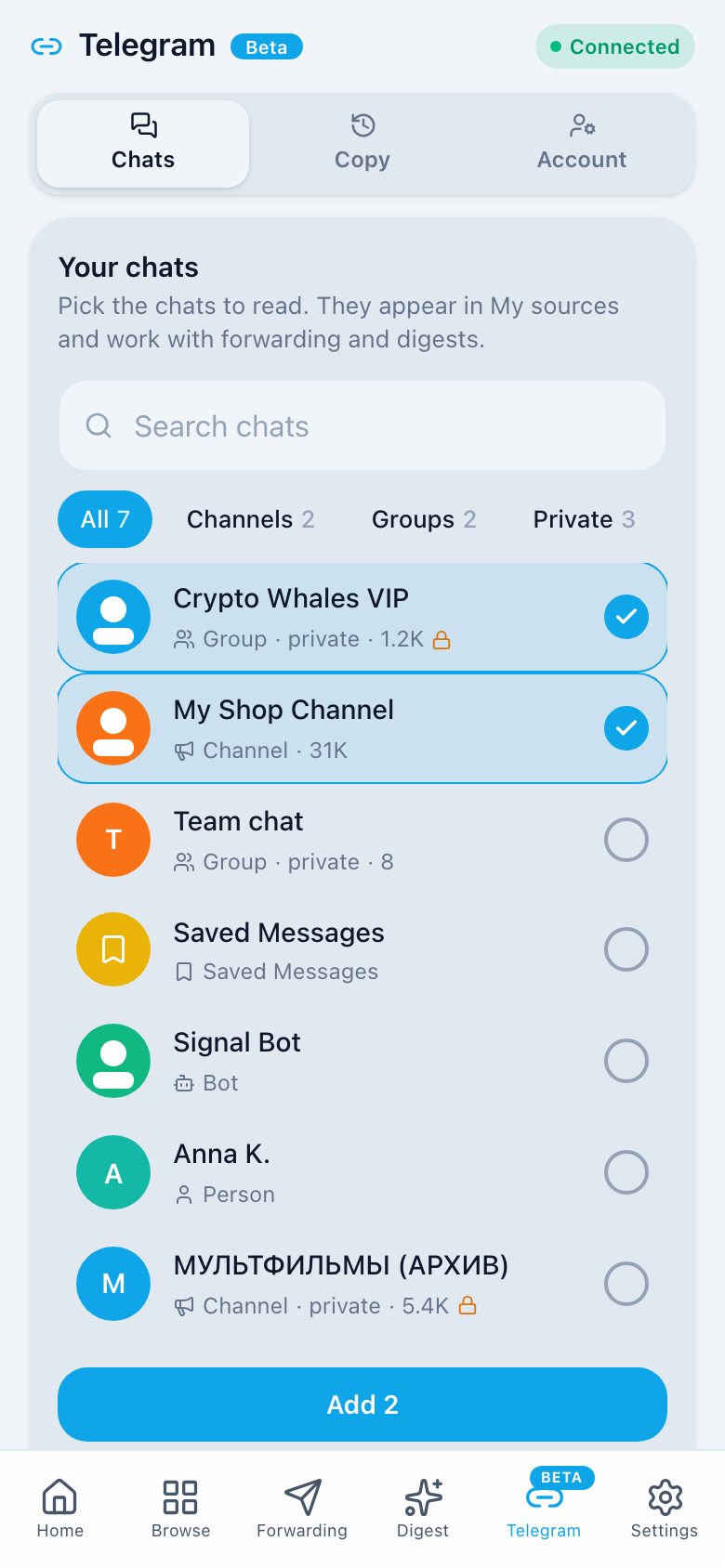
6. Pick chats and tap Add
Tick the chats to read. Chats you already follow are marked; tap one to remove it.
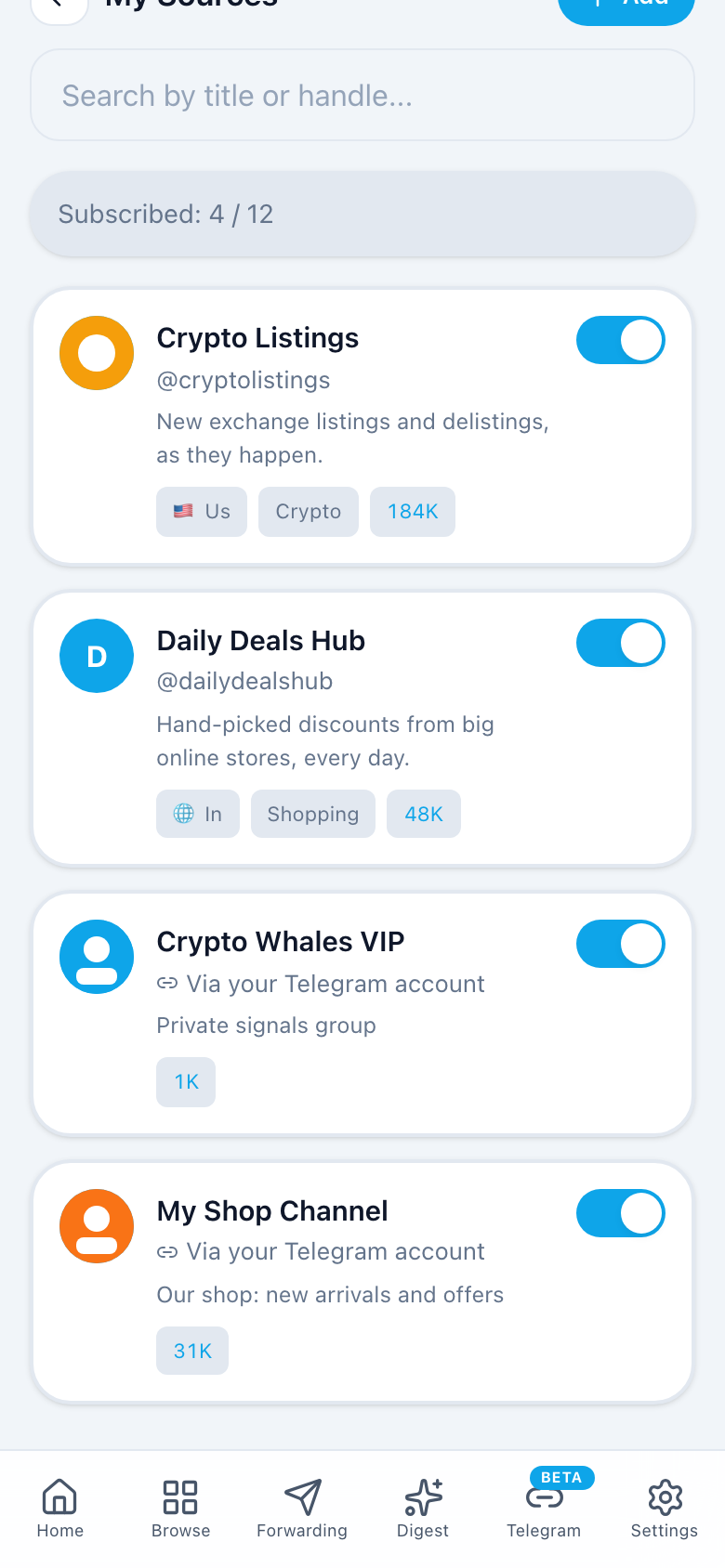
7. Find them in My sources
They sit next to your catalog channels, marked “Via your Telegram account”, and work in forwarding rules and digests.
Post as our bot or as yourself
Every forwarding rule has Send as, in its Rule card. Bot: our bot posts in chats where it’s an admin. My account: posts come from you, into any chat or person your account can post to. All the rule’s options work for both.
Copy a chat’s past posts
On the Telegram tab, open Copy: pick the source and destination chats, how many posts and the delay between them. It runs in the background and you can stop it anytime.
Copy channels with their own signature
Set up the rule for your main channel, tap Duplicate, change the destination and the signature, then switch the copy on. To copy posts you write by hand too, add the main channel as a source of the copy.
Which plans include it
Premium: up to 25 chats from your account, 10 account forwards and copies of up to 2,000 posts. Elite: unlimited chats, 50 account forwards and copies of up to 5,000 posts. The catalog and the free plan work without connecting anything.
Common questions
Do I have to connect my Telegram?
No. Catalog channels, invite-link private channels, forwarding and digests all work without it. Connect only if you need your own chats or want to post as yourself.
Can I read a public channel through my account?
Yes. It’s then read through your account only, so it isn’t followed from the catalog as well and posts don’t arrive twice.
Will Telegram limit my account?
We send at a steady pace and pause as soon as Telegram asks us to slow down. Posting into your own chats is normal use, but spam-like use can get any account limited.
What happens if my plan ends?
Reading through your account pauses. After 30 days without a plan that includes it, we log the session out and delete it. You can connect again anytime.
Connect your Telegram
Open Aggregaat, tap the Telegram tab and log in. It takes about a minute.
Start in Telegram