
Schedule your forwarding: delay posts or space them out
Hold forwarded posts back for a while, or space them out so your channel never gets ten at once. Then edit or remove any post before it goes.
Delay, interval and the queue in a minute
Set a fixed delay and a random interval, then edit and remove posts waiting to be sent.
Delay vs interval
Three posts arrive at 9:00, 9:01 and 9:02. Here is when each setting sends them.
| Setting | Posts go out at |
|---|---|
| Both off (default) | 9:00, 9:01, 9:02: right away |
| Delay 10 min | 9:10, 9:11, 9:12: each 10 minutes later, still together |
| Interval 30 min | 9:00, 9:30, 10:00: at least 30 minutes apart |
| Delay 10 min + random interval 30–60 min | 9:10, then about 9:52, then about 10:36: later, spread out, like a person posting |
Step by step
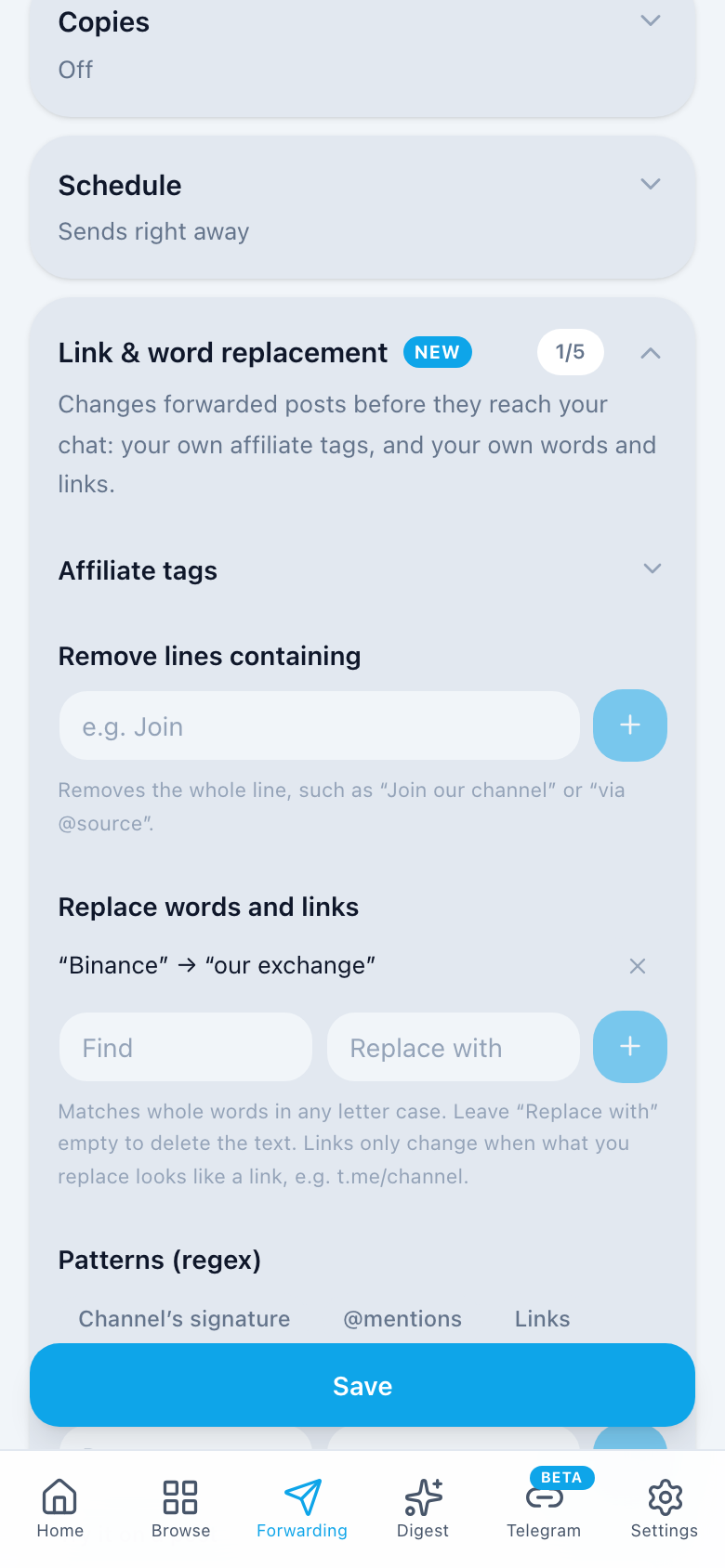
1. Open a rule and find Schedule
In Aggregaat, open Forwarding, tap a rule and scroll to the Schedule card.
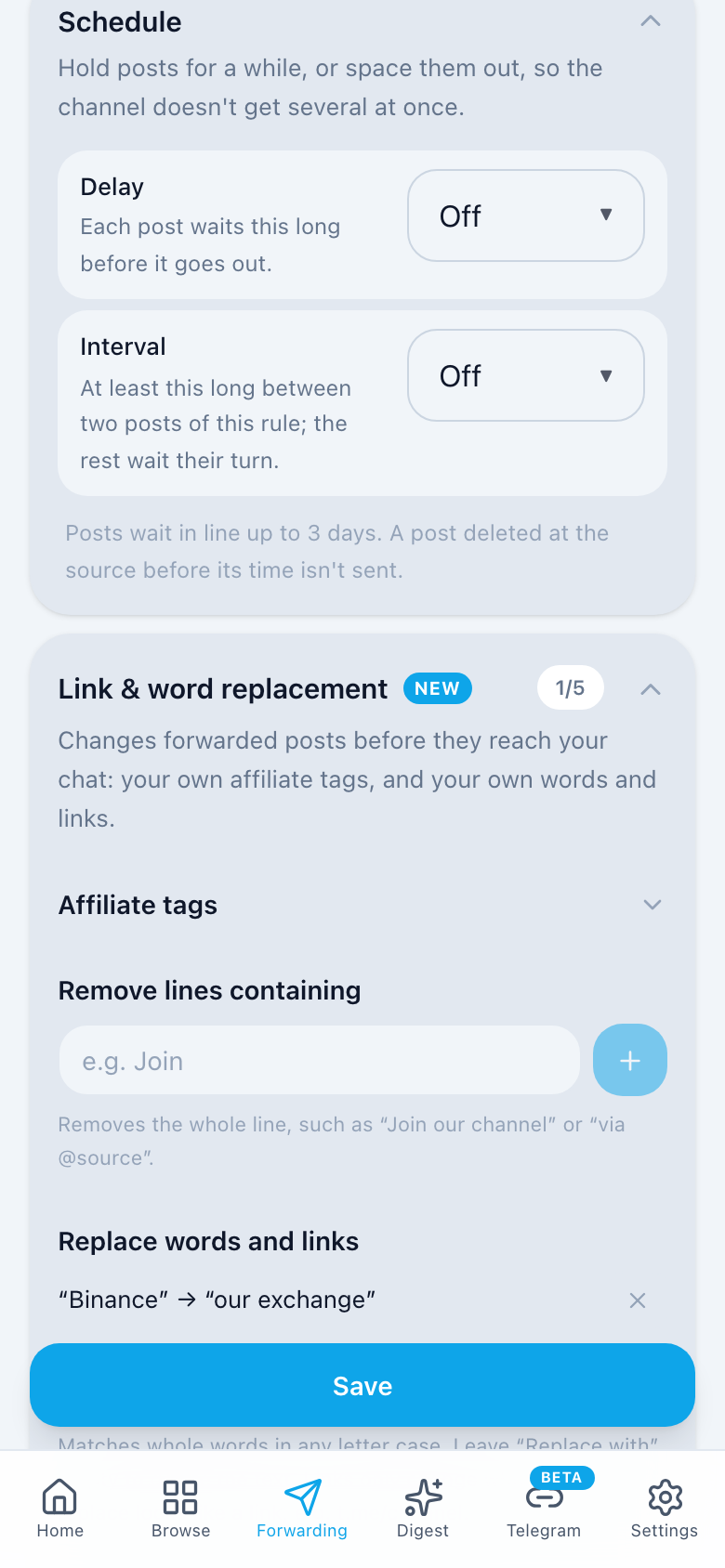
2. Open Schedule
Delay and Interval are both off, so posts go out as soon as they arrive.
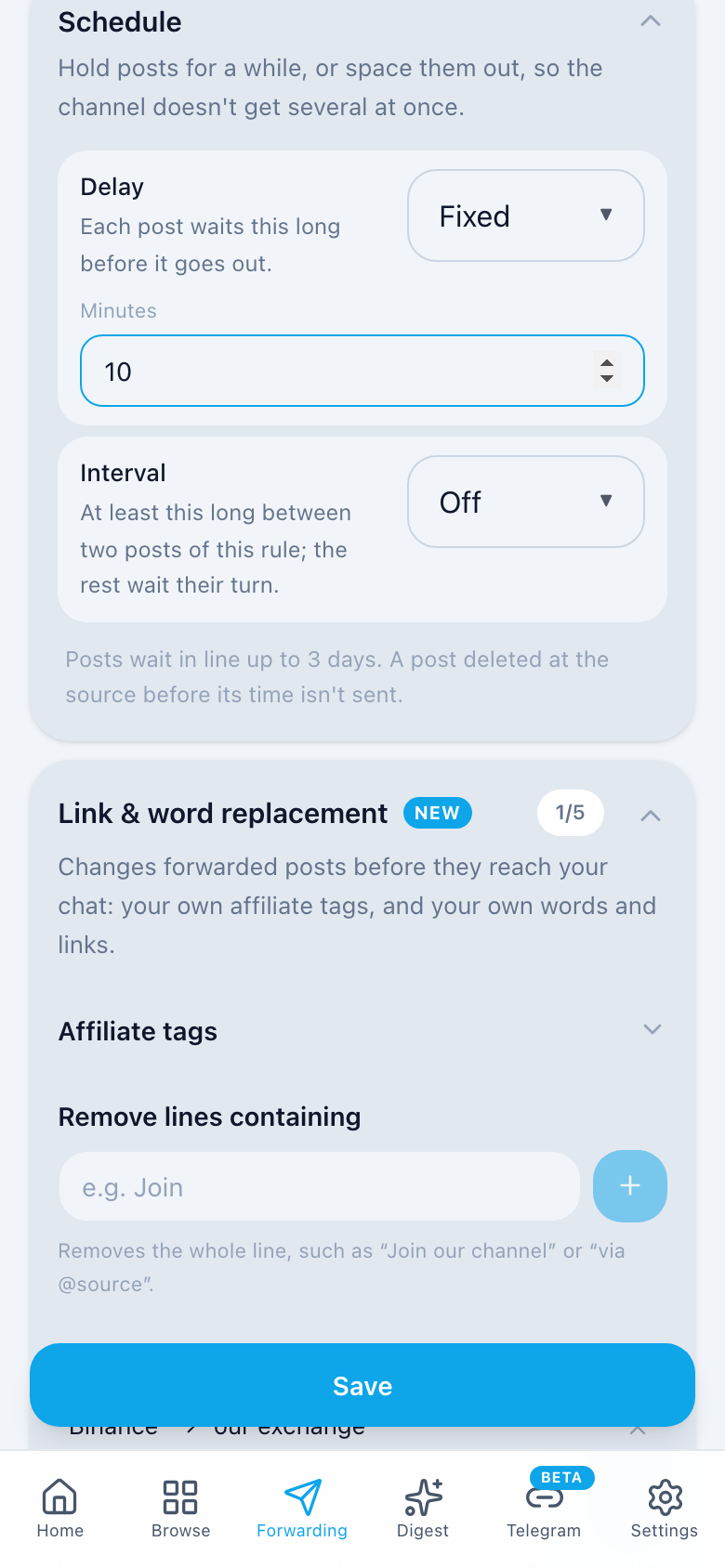
3. Set a delay
Pick Fixed and the minutes, or Random with a range. Every post waits that long before it goes out.
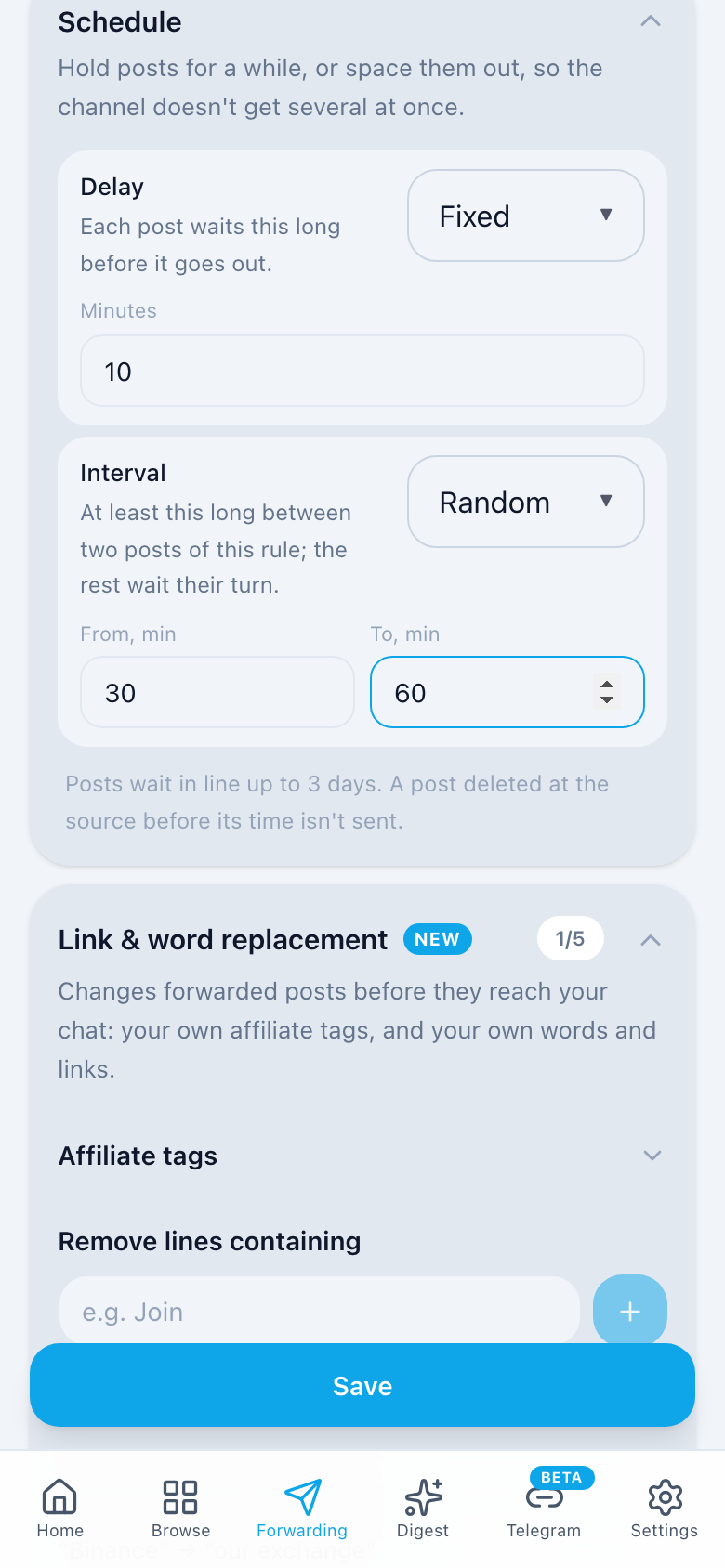
4. Set an interval
Pick Random from 30 to 60 minutes. Posts go out at least that far apart, and the rest wait their turn.
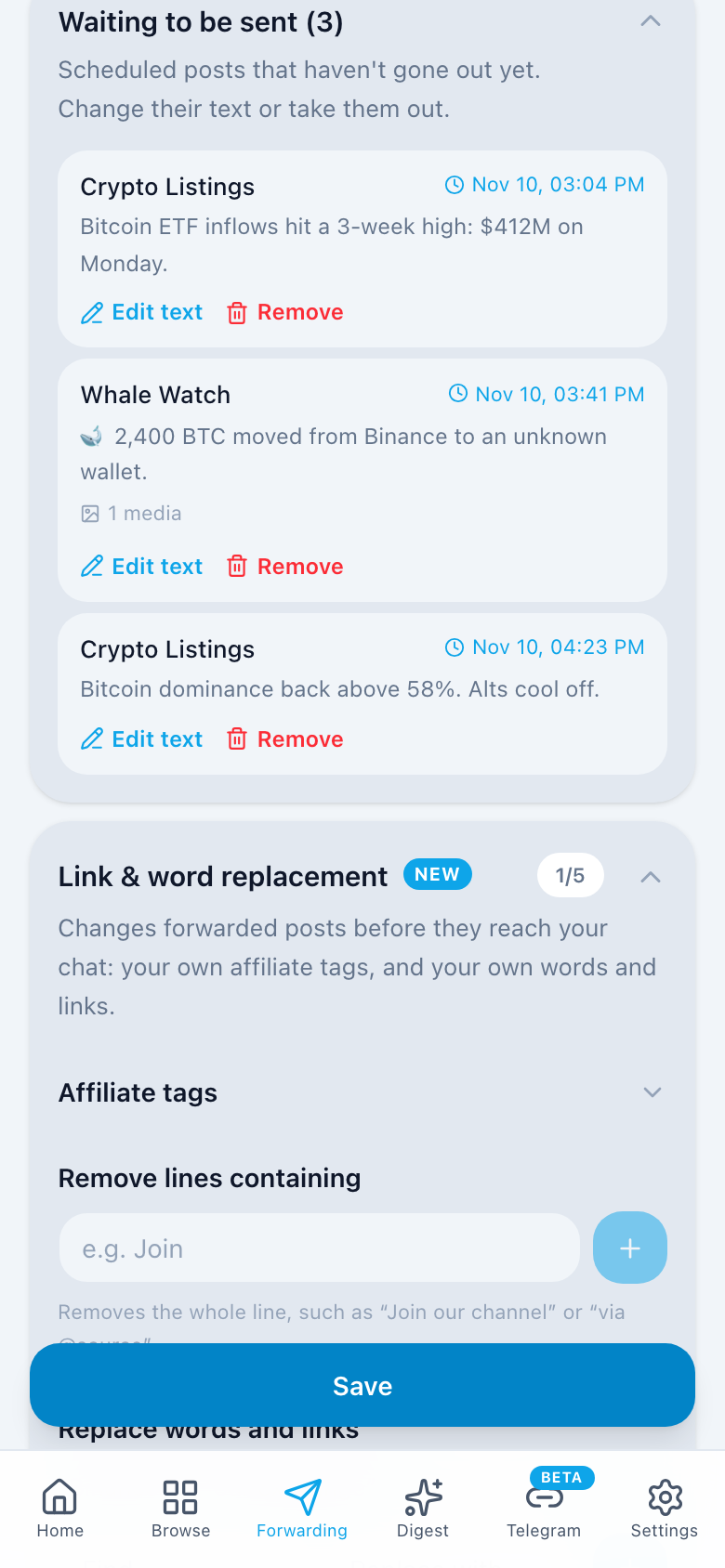
5. Save and see the queue
New posts appear under Waiting to be sent, each with the time it will go out.
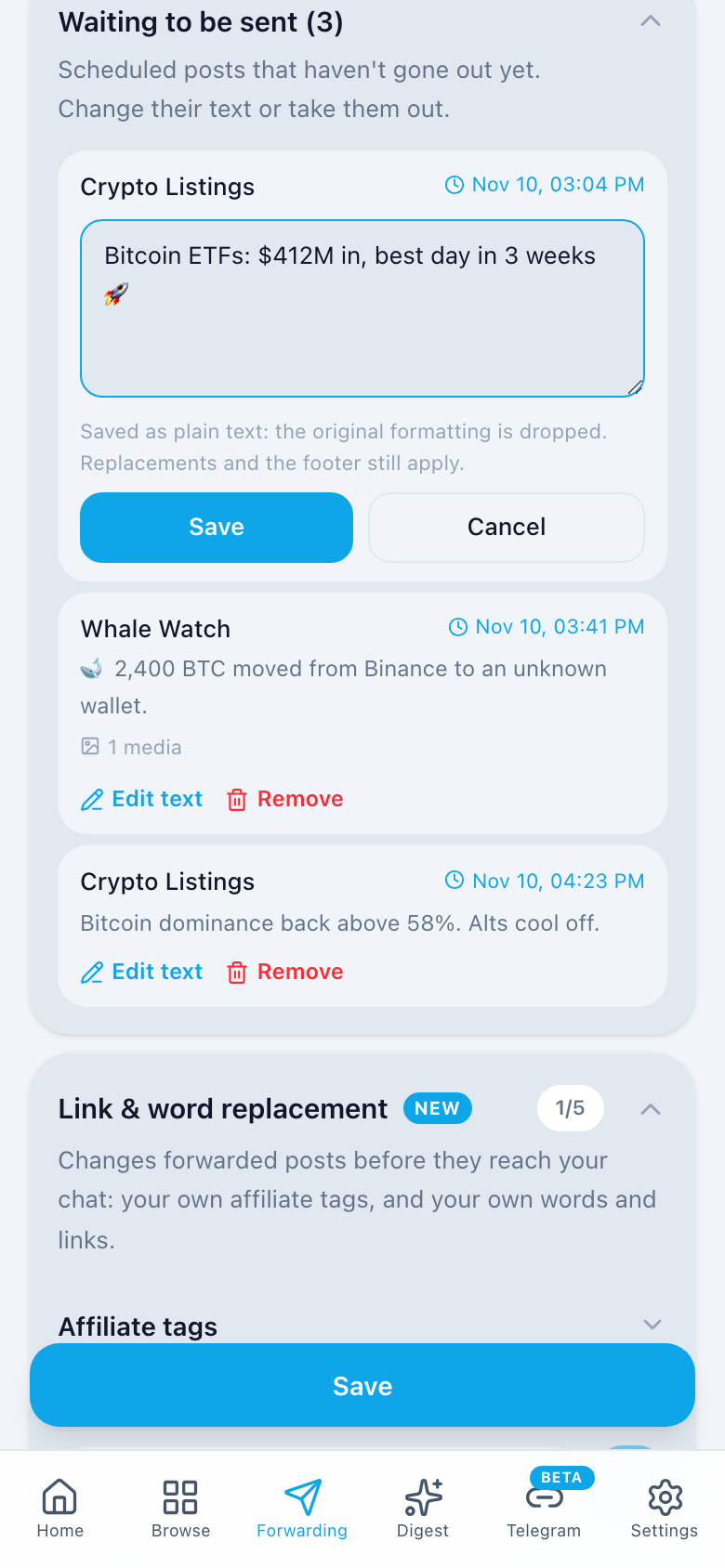
6. Edit a post before it goes
Tap Edit text to change it. It’s saved as plain text, and replacements and the footer still apply.
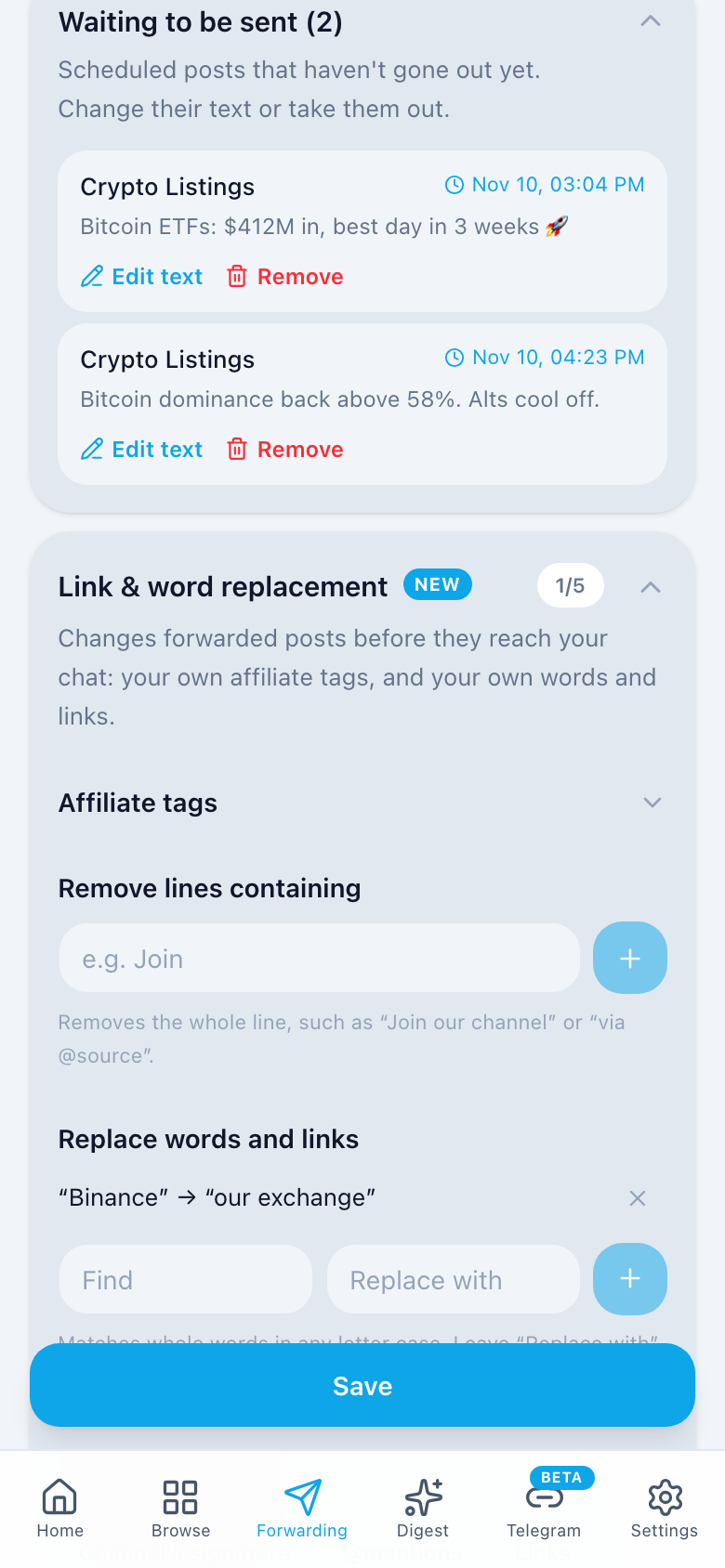
7. Remove a post
Tap Remove and it leaves the queue. It’s never sent, and the posts after it move up.
Delay
Holds every post: a fixed time, or a random time between two values, up to 24 hours.
Interval
Spaces posts out so the channel gets at most one per gap. Random gaps look like a person posting.
You stay in control
See every waiting post, change its text or take it out. Posts deleted at the source, or from a source you remove, aren’t sent.
Which plans include it
Premium and Elite, for rules that post as our bot or as your own Telegram account. On Standard, posts go out in real time.
Common questions
What’s the difference between delay and interval?
A delay holds every post for the same time, so posts still arrive together, just later. An interval keeps a minimum gap between posts, so they’re spread out. You can use both.
What if my source posts a lot?
Posts wait in line up to 3 days ahead. After that, new posts are skipped and Recent posts shows why. A shorter interval or keyword filters keep the line short.
Can I change a post that’s waiting?
Yes. Open the rule: under Waiting to be sent you can edit a post’s text or remove it.
What if the source deletes a post before it’s sent?
It isn’t sent. The same goes for posts from a source you remove from the rule, and for all of them when you switch the rule off.
Does it work when posting as my own account?
Yes. Scheduling works the same whether the rule sends as our bot or as your Telegram account.
Schedule your first rule
Open Aggregaat, pick a forwarding rule and set a delay or an interval.
Start in Telegram